Timesheets that fill themselves.
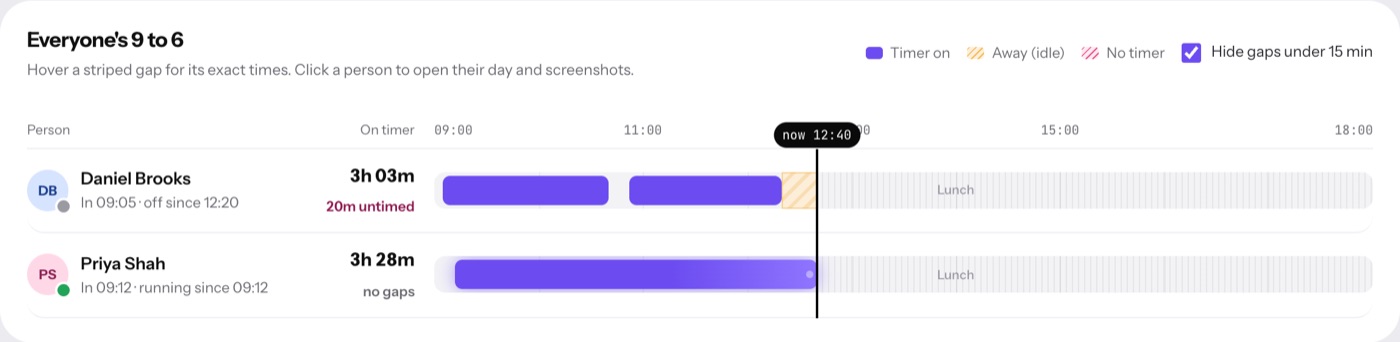
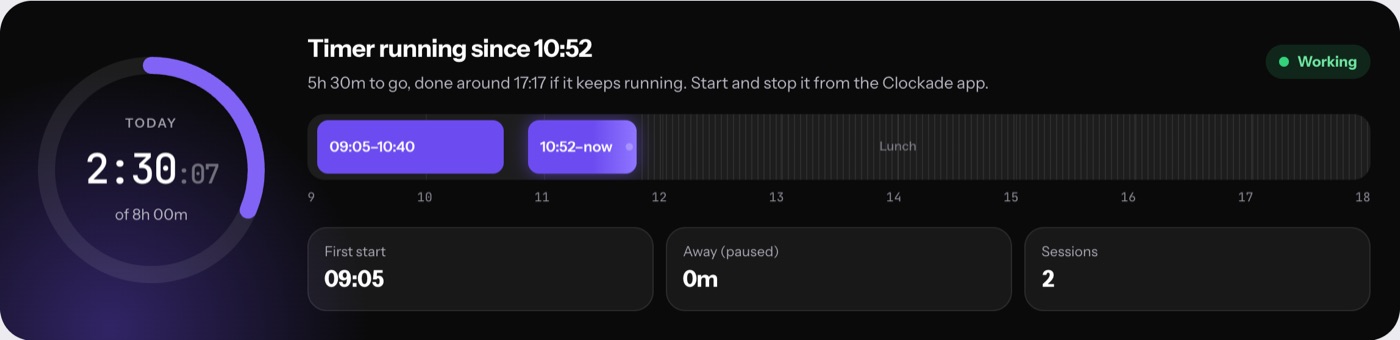
Most timesheets are typed in on Friday from memory. In Clockade the desktop app records the working day as it happens, staff add which client or project the hours were for, and admins only look at the gaps.
The day is on the timesheet already.
People clock in from the Mac menu bar or the Windows tray. The app pauses when nobody is at the keyboard, stops for lunch and breaks, and keeps counting offline.
- One click to start the day
- Idle time taken off by itself
- Lunch and named breaks
- Works without internet
Say what the hours were for.
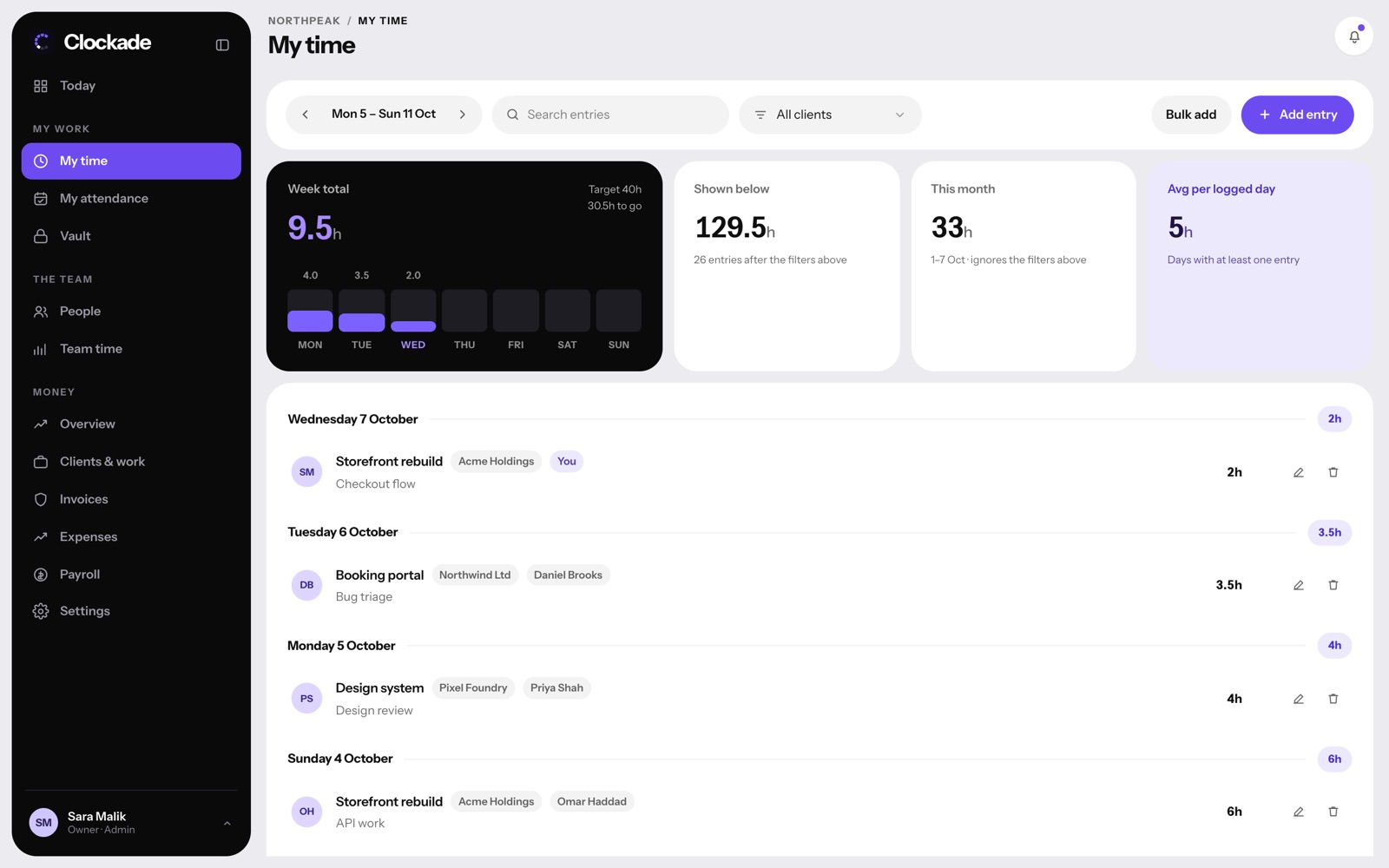
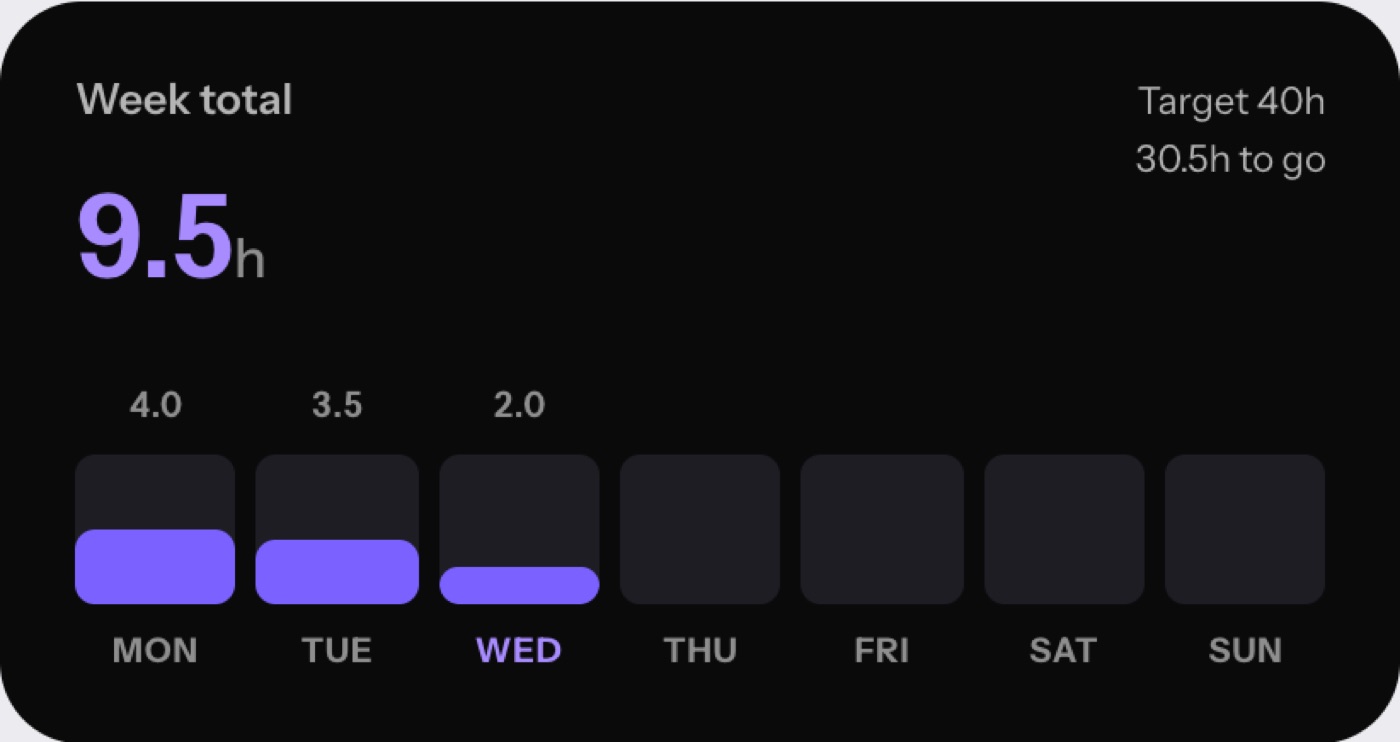
My time is the timesheet for client and project work. Add an entry with the hours and a short note, or add several days to one project at once. Weekly targets show what is left.
- Hours per client and project
- Billable or not
- Bulk add for several days
- Weekly targets
Forgot the timer? Ask, don't edit.
If someone forgot to start the timer, they send a missing time request for that gap, with a reason. Admins approve it in one tap, so the timesheet stays honest without checking every line.
- Requests only for real gaps
- A reason with every request
- Approve or turn down in one tap
- Approved time counts in payroll
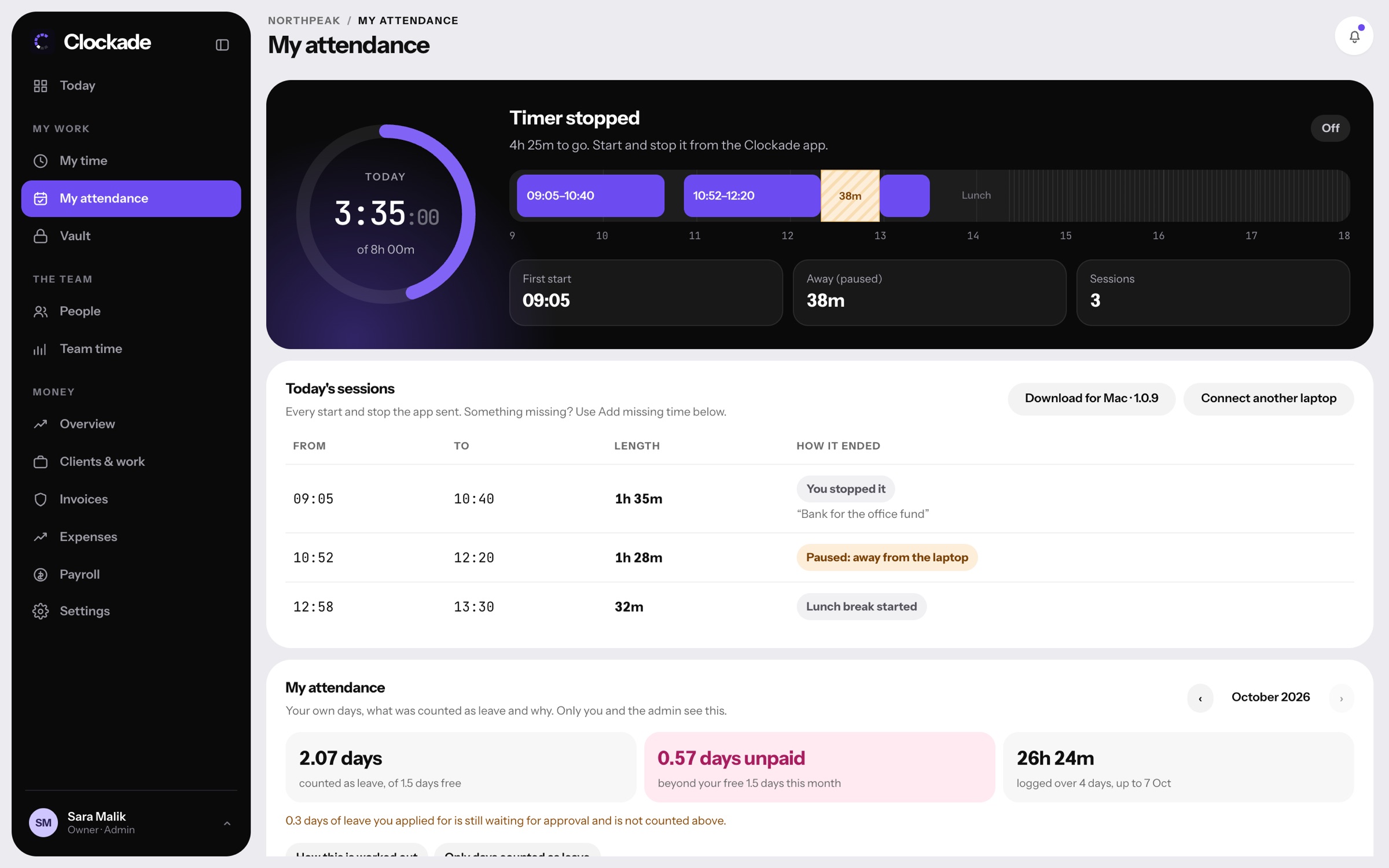

From timesheet to payslip.
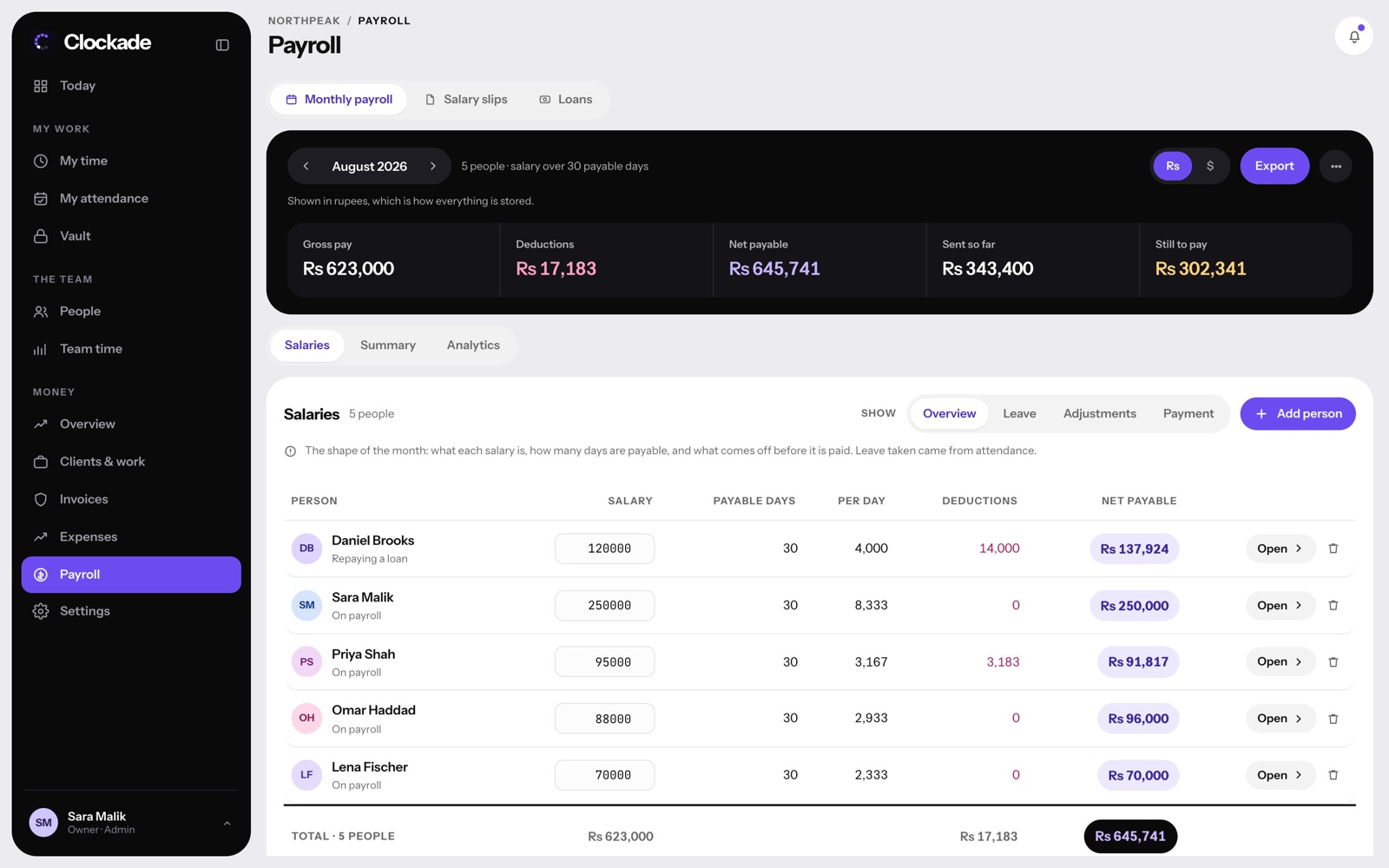
The same hours mark attendance, late arrivals and short days, and come into monthly payroll with leave, deductions and salary slips. No export, no copying.
- Attendance marked from real hours
- Late and short days flagged
- Payroll and salary slips
- Export any day or month

Before you start.
Also see attendance management system, billable hours tracker and time tracking software.
Can staff still type hours in by hand?
Yes. My time takes hours per project by hand, and Bulk add fills several days at once. The working day itself comes from the timer, and a forgotten gap goes through a missing time request.
Is there a phone app?
No. Clockade is built for teams who work on computers, with apps for Mac and Windows and the web for everything else.
Can we export timesheets?
Yes. Team time exports any day or month, and payroll has its own exports. See Team time.
Does it work on Mac and Windows?
Yes, with native apps for both, plus a Chrome extension for websites. See download.
How much does Clockade cost?
Team is $3 and Business is $6 per person a month, with nothing charged for 14 days. People you deactivate are free. See pricing.