Screenshots of the work, only while it's work.
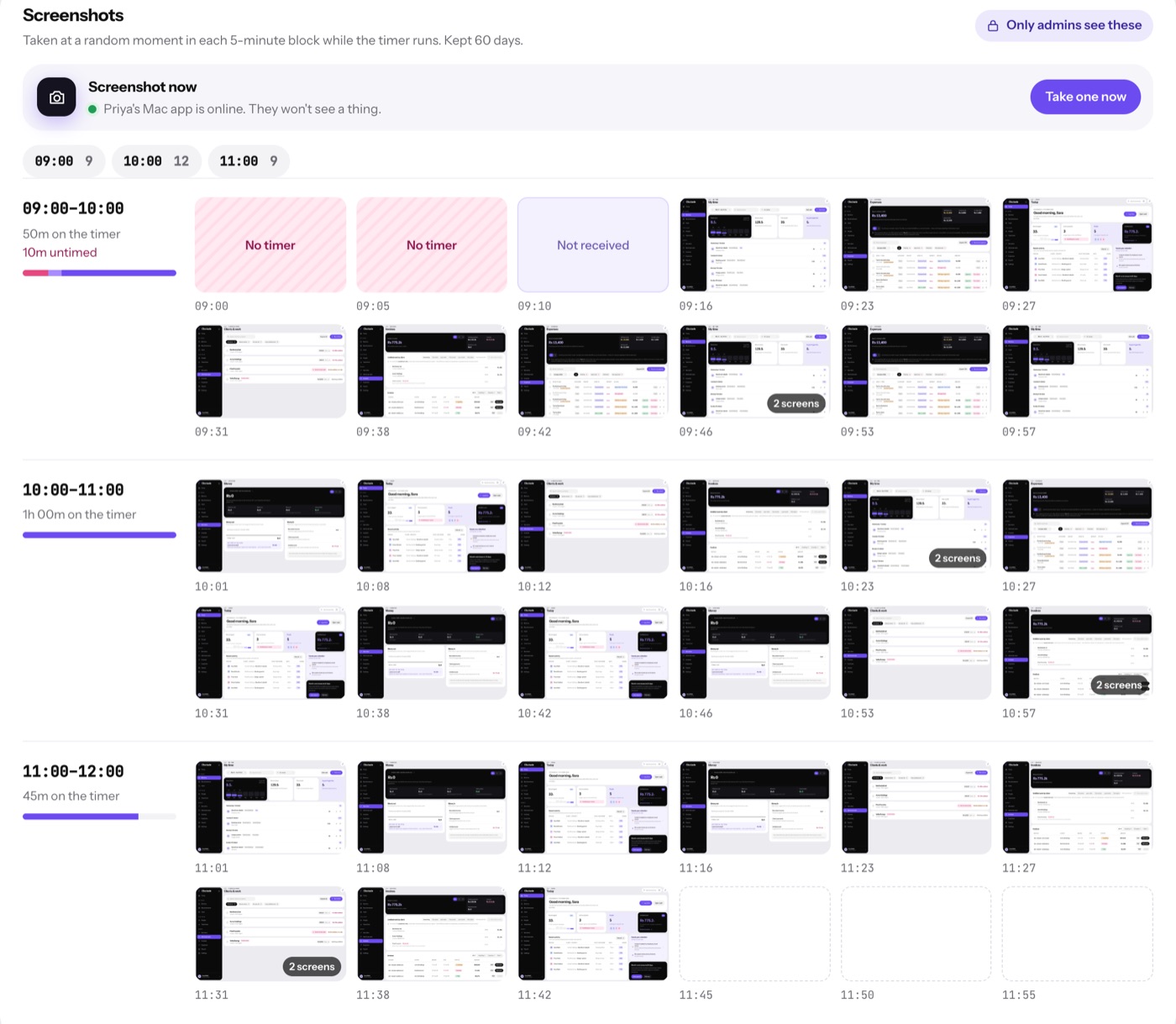
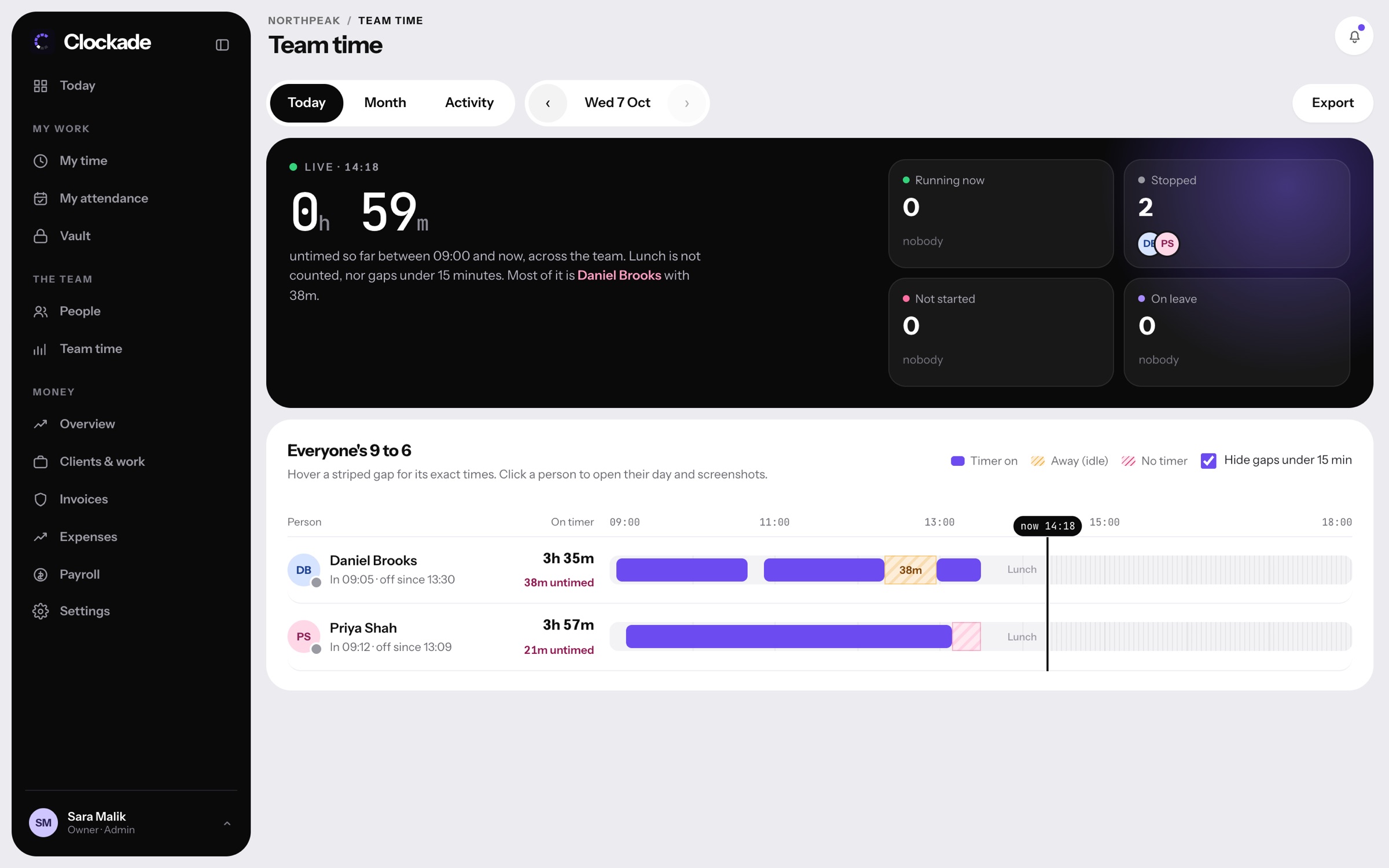
Clockade takes screenshots only while a person's timer is running and someone is at the keyboard. Never during lunch, breaks or after they stop. Admins see each one with the app and website that was in front at the time.
You choose the rhythm.
Pick a screenshot every 5, 10 or 15 minutes, or turn them off. Each one is taken at a random moment in its block, of every screen the person uses.
- Every 5, 10 or 15 minutes, or off
- A random moment in each block
- Every screen, not just the main one
- Taken offline and sent later

Not just a picture.
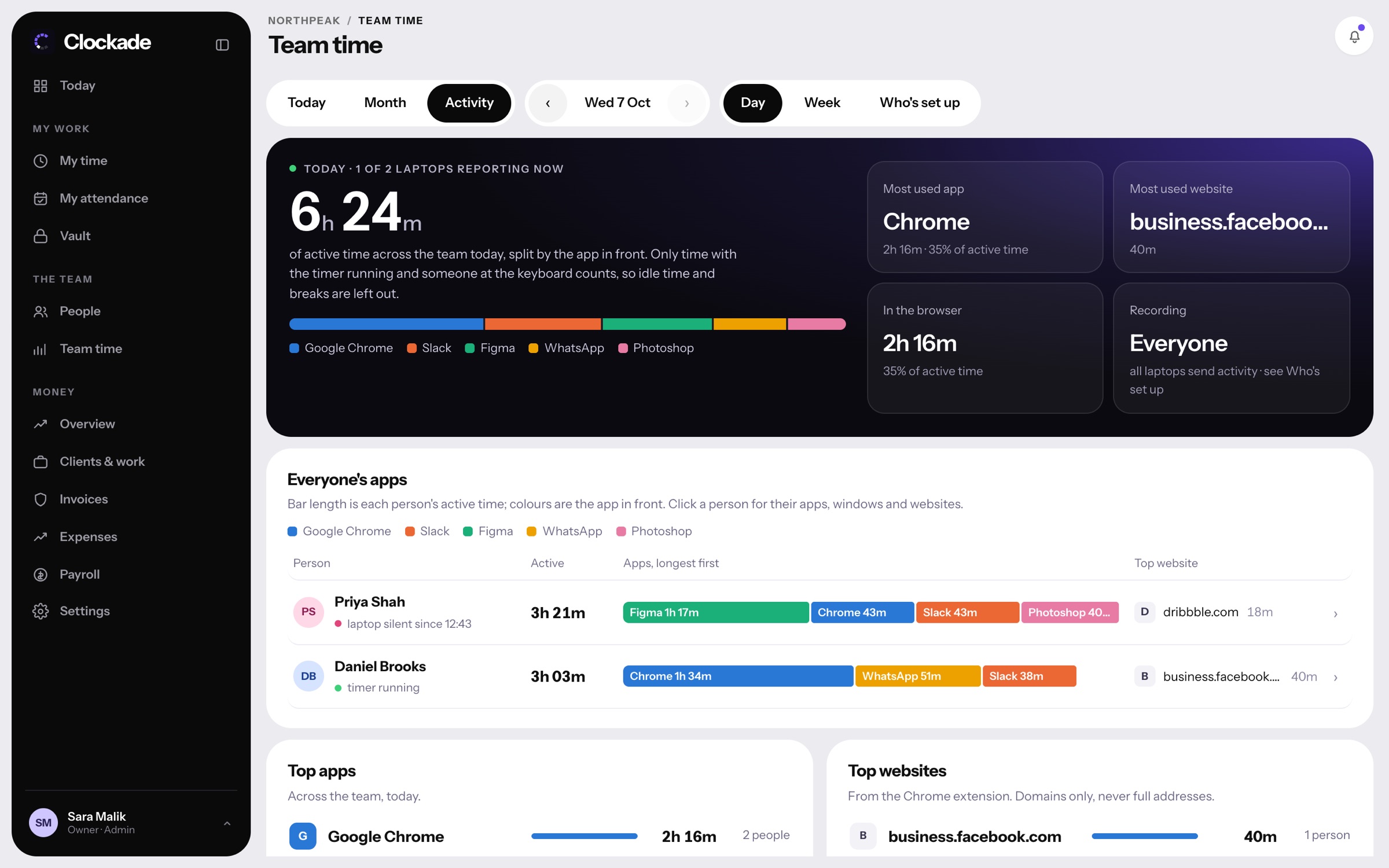
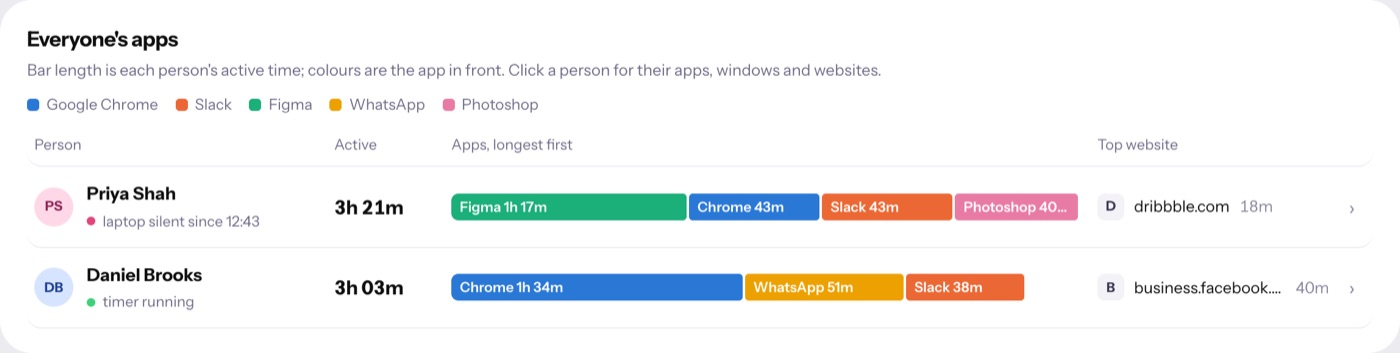
Under each screenshot is the app that was in front most around then, with its window or website. Open one to see every app and site from those ten minutes, with the minutes for each.
- App and window title per screenshot
- Websites from the Chrome extension
- Ten minutes of activity beside it
- Idle time left out
Only admins see them.
Screenshots are on Team time for admins only. Keep them for 30, 60 or 90 days, and older ones are deleted each night. Screenshot now asks a laptop for one right away when you need it.
- Admins only
- Kept 30, 60 or 90 days
- Deleted each night after that
- Screenshot now, on request
Are screenshots taken during breaks?
No. Only while the timer runs and someone is at the keyboard. Nothing during lunch, breaks, when paused or after the timer stops.
How long are screenshots kept?
30, 60 or 90 days, as you choose. The Team plan keeps up to 30 days and Business up to 90. See pricing.
Should we tell the team?
Yes. Tell people what is recorded and why before you turn screenshots on. Our employee monitoring page explains it on one page you can share.
Does it work on Mac and Windows?
Yes, with native apps for both, plus a Chrome extension for websites. See download.
How much does Clockade cost?
Team is $3 and Business is $6 per person a month, with nothing charged for 14 days. People you deactivate are free. See pricing.