A time tracker that also runs the office.
If your team uses Hubstaff, Time Doctor, DeskTime, Clockify, Toggl, Jibble or Trackabi today, Clockade does the time tracking part, with a desktop app, screenshots, idle detection and app activity, and then keeps going into attendance, leave, payroll and client invoices, so the month ends in one place.
The monitoring you use, plus the HR.
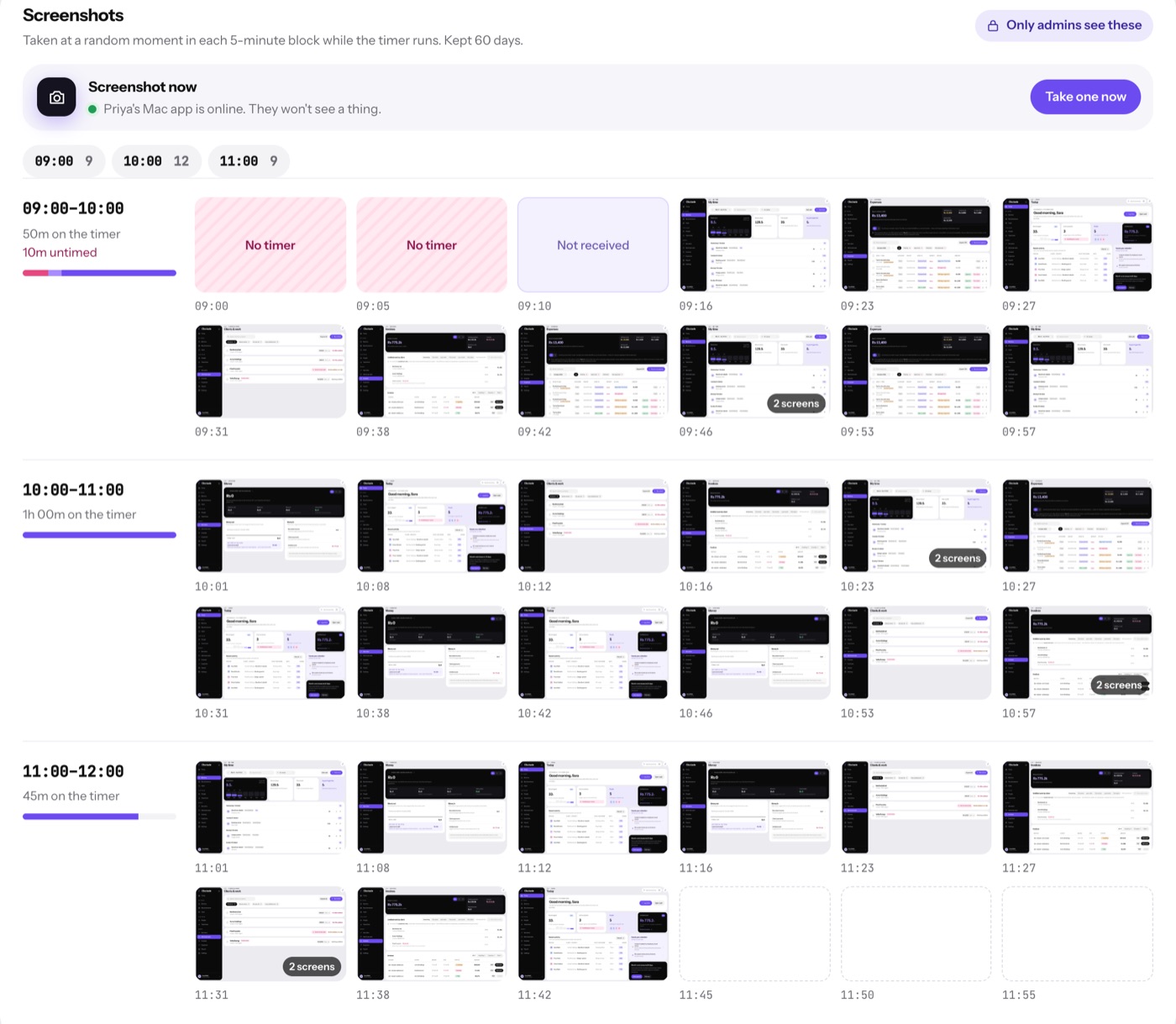
Clockade covers the daily tracking: a desktop app for Mac and Windows, screenshots every 5, 10 or 15 minutes, idle detection and the apps and websites in use. It adds attendance, leave and payroll on top.
- Screenshots only while the timer runs
- App and website activity
- Live view of the whole team
- Payroll from the same hours

Hours to projects, without the manual timer.
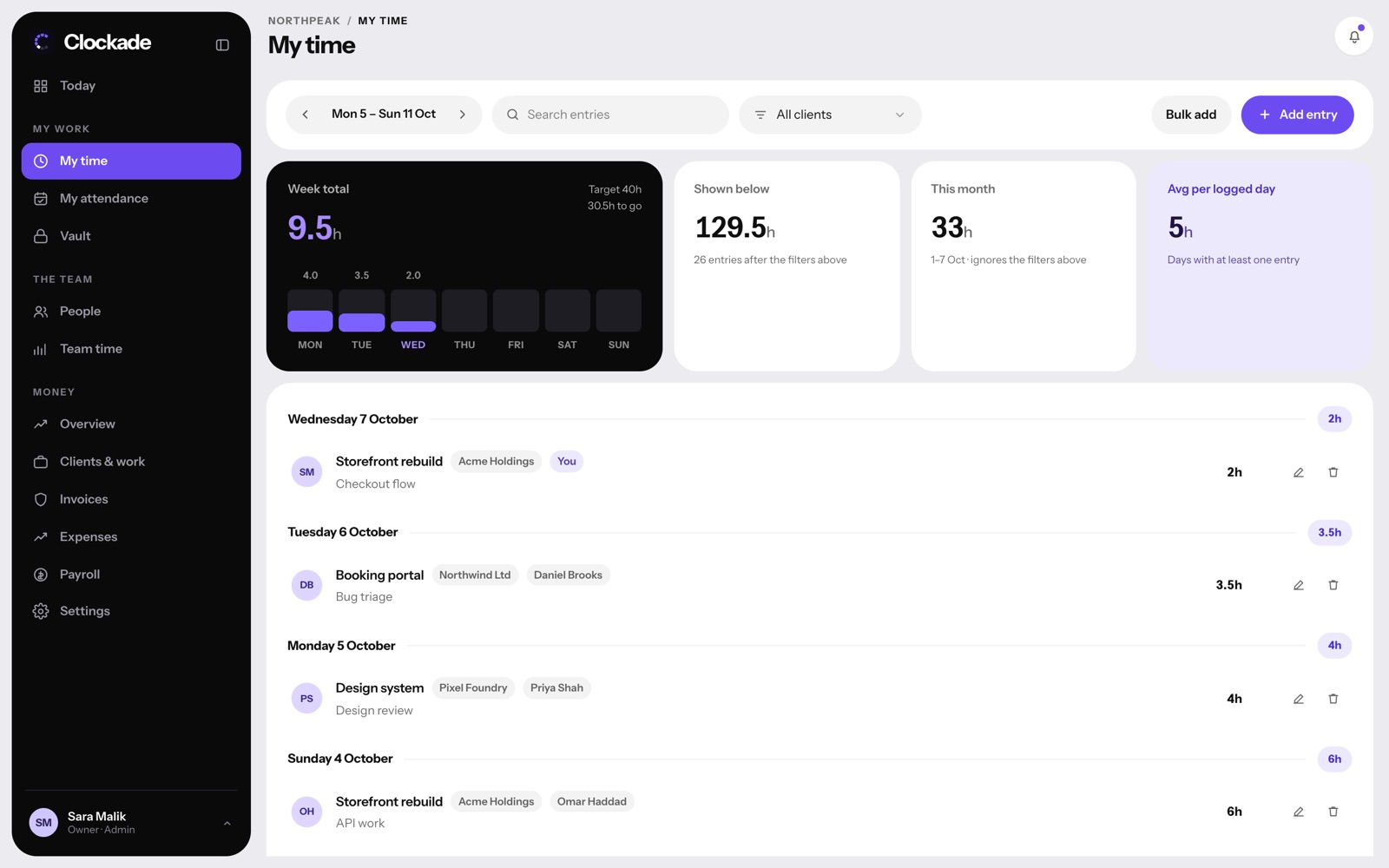
Log hours to clients and projects with rates in any currency, and turn unbilled hours into invoices on the Business plan. The desktop app knows when people are working, so timesheets don't need chasing.
- Hours per project and client
- Billable or not
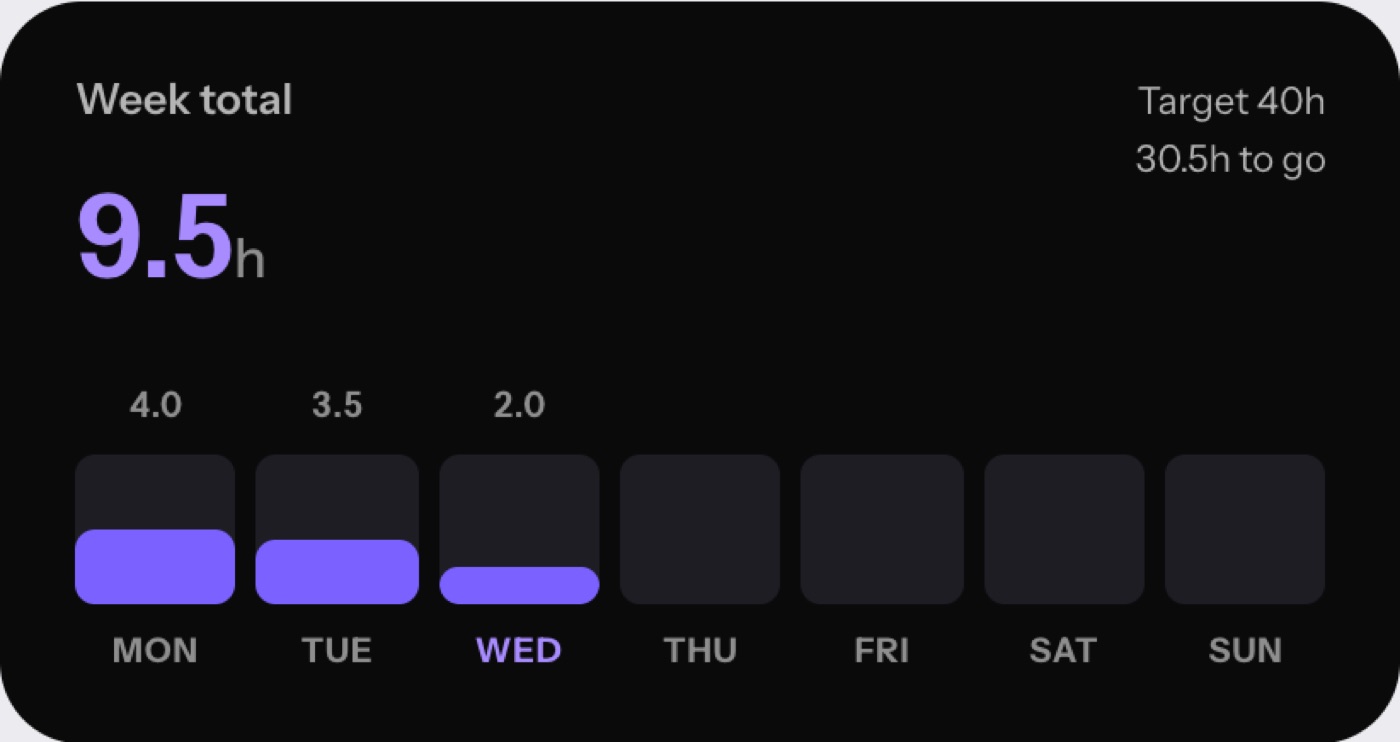
- Weekly targets
- Invoice PDFs and overdue alerts
Attendance that ends in a payslip.
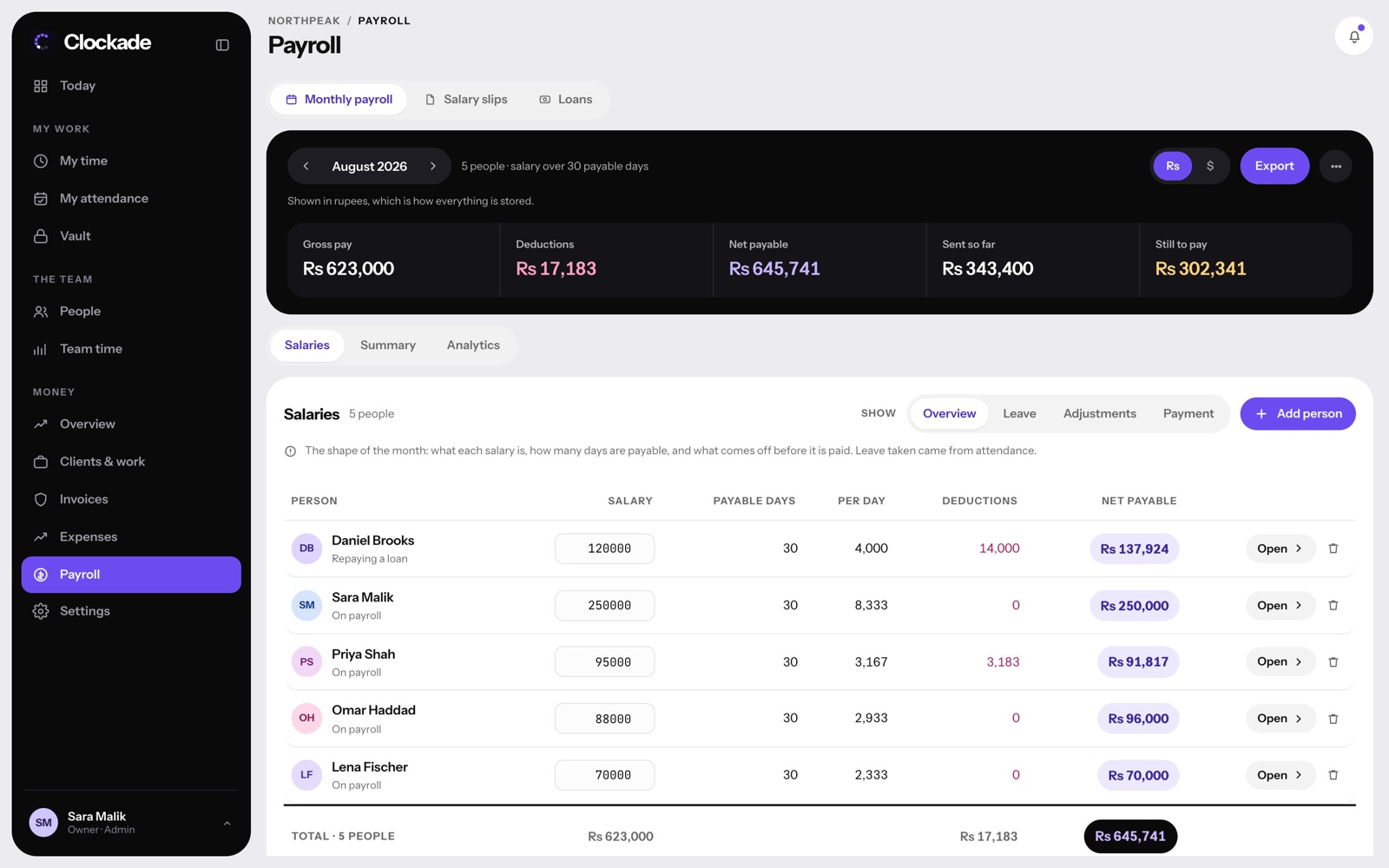
Clock-ins become attendance, late arrivals and leave, and all of it comes into monthly payroll with salary slips. No exports between tools.
- Late rules and automatic absences
- Leave of any length
- Payroll, loans and salary slips
- Expenses and cash funds

Before you start.
Also see employee monitoring software and attendance management system, or every feature.
How much does Clockade cost?
Team is $3 and Business is $6 per person a month, with nothing charged for 14 days. People you deactivate are free. See pricing.
Does Clockade work on Mac and Windows?
Yes, with native apps for both, plus a Chrome extension for websites. See download.
Can we try it with our own team first?
Yes. Book a demo and we'll walk you through it with your own working hours.