Everything you need to run the workday.
Clockade covers the whole day of a team that works on computers: time, activity, attendance, leave, payroll, expenses and client billing. Every screen below is the real product, with sample data.
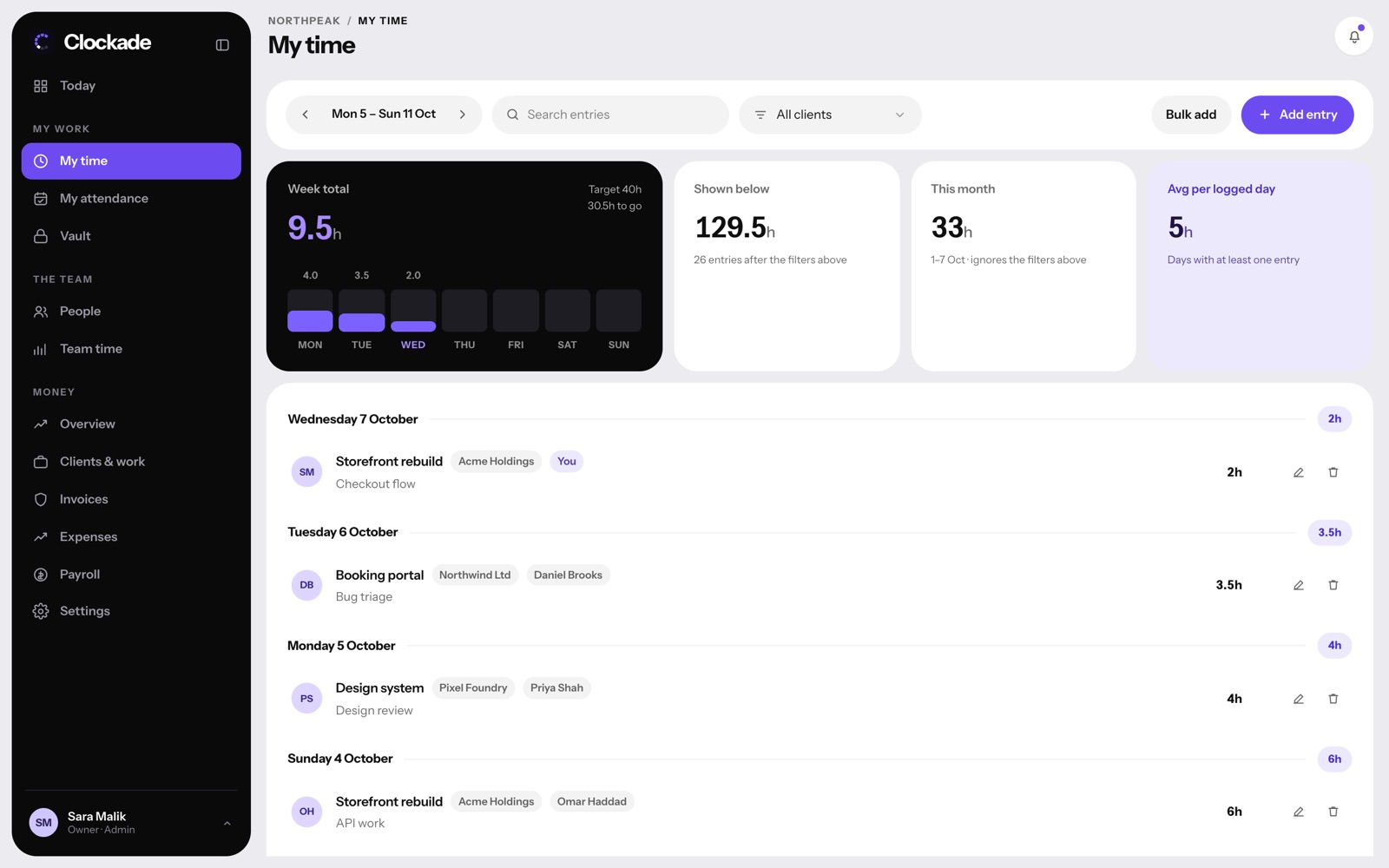
Every hour, on the right project.
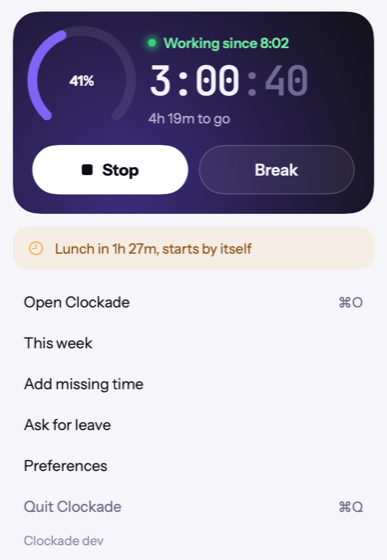
The timer runs in the Mac menu bar or the Windows tray. Hours for client work are logged against projects in My time and add up by person, project and client.
- Clock in from the Mac menu bar or the Windows tray
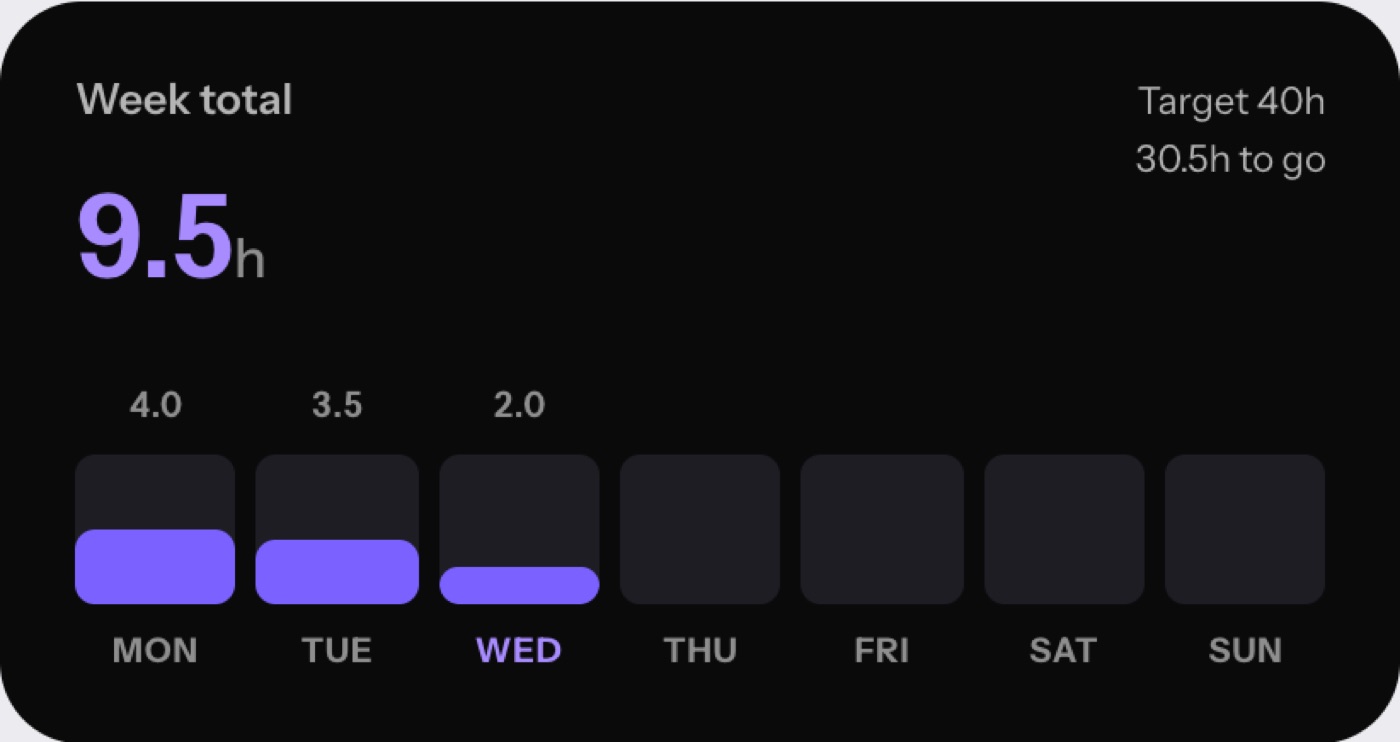
- Hours per project and client, billable or not
- Weekly targets with what is left to do
- Missing time requests, limited to real gaps in the day
See the whole team, live.
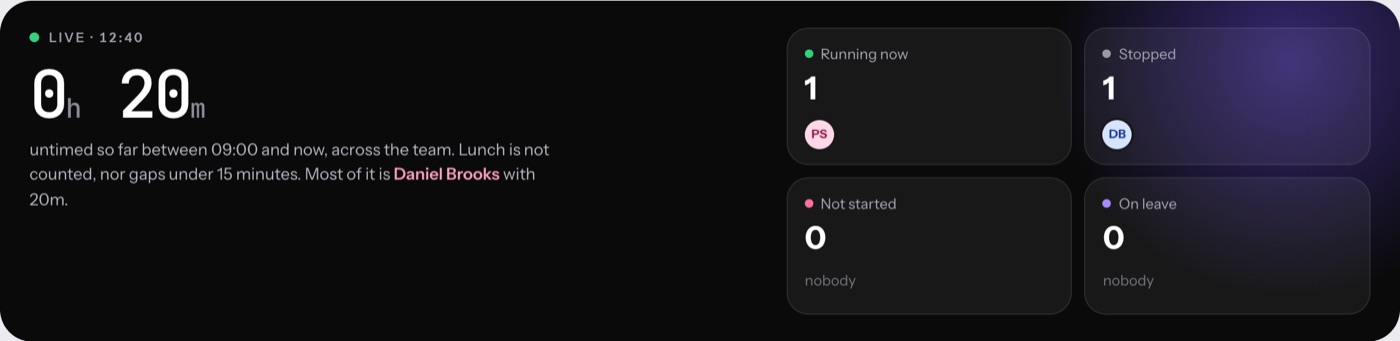
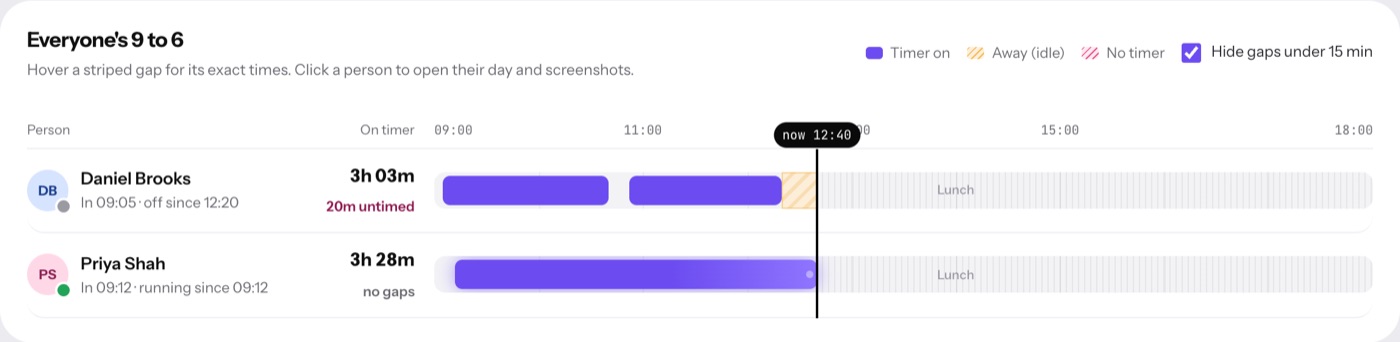
Who is working, on a break, idle or on leave right now, and every person's day from 9 to 6 on one timeline.
- Live count of who is running, stopped, not started or on leave
- Untimed gaps shown in red, idle time striped
- Click a person to open their day and screen activity
- Export any day or month
See what the hours went into.
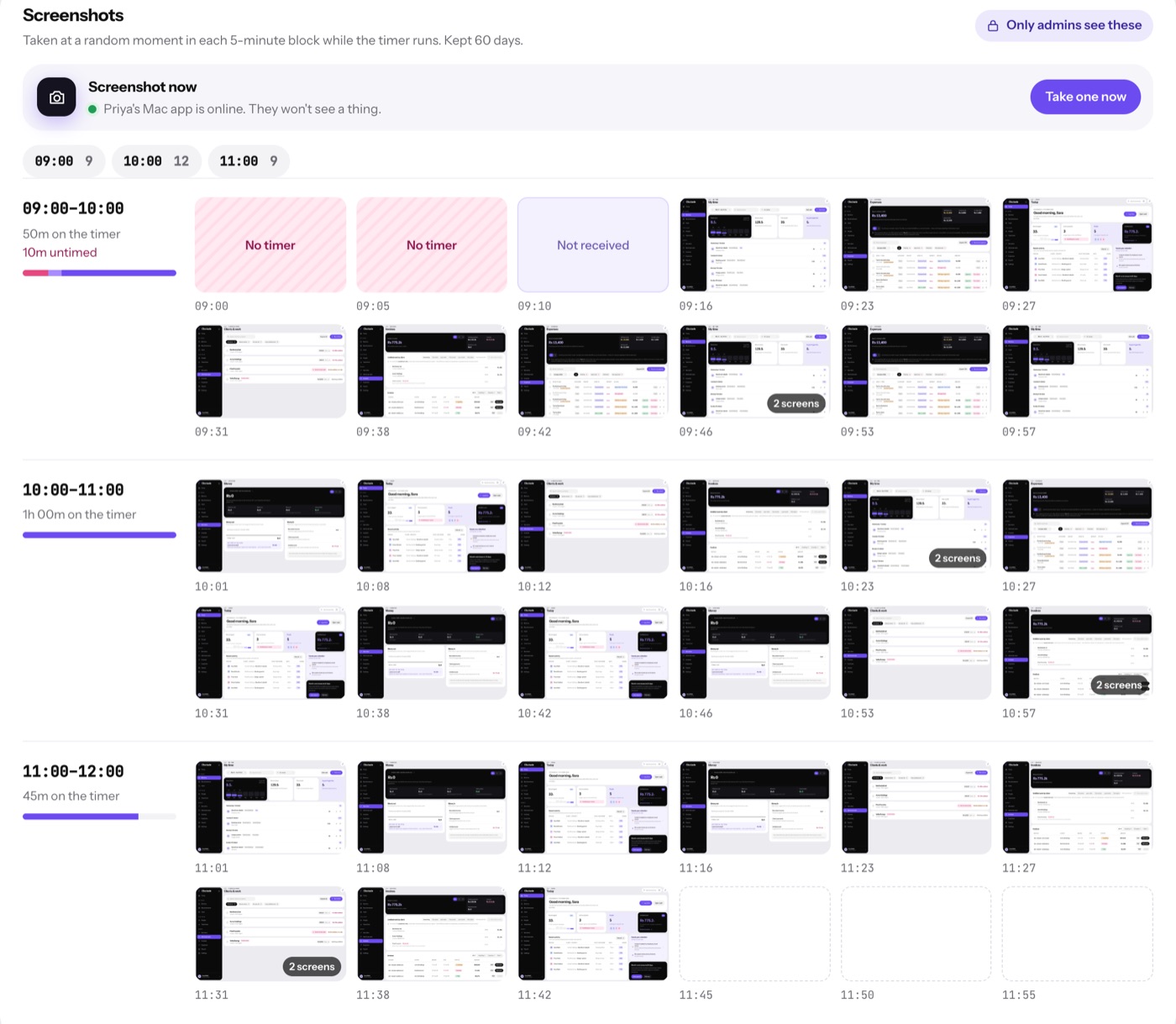
While a timer runs, Clockade takes one snapshot in every 5-minute block. Admins can scroll through a person's day hour by hour, or ask for one right now.
- Only admins can see snapshots
- Nothing during breaks, lunch or when paused
- Screenshot now: one snapshot on request, from Team time
- Choose how long snapshots are kept: 30, 60 or 90 days

The apps and sites behind every hour.
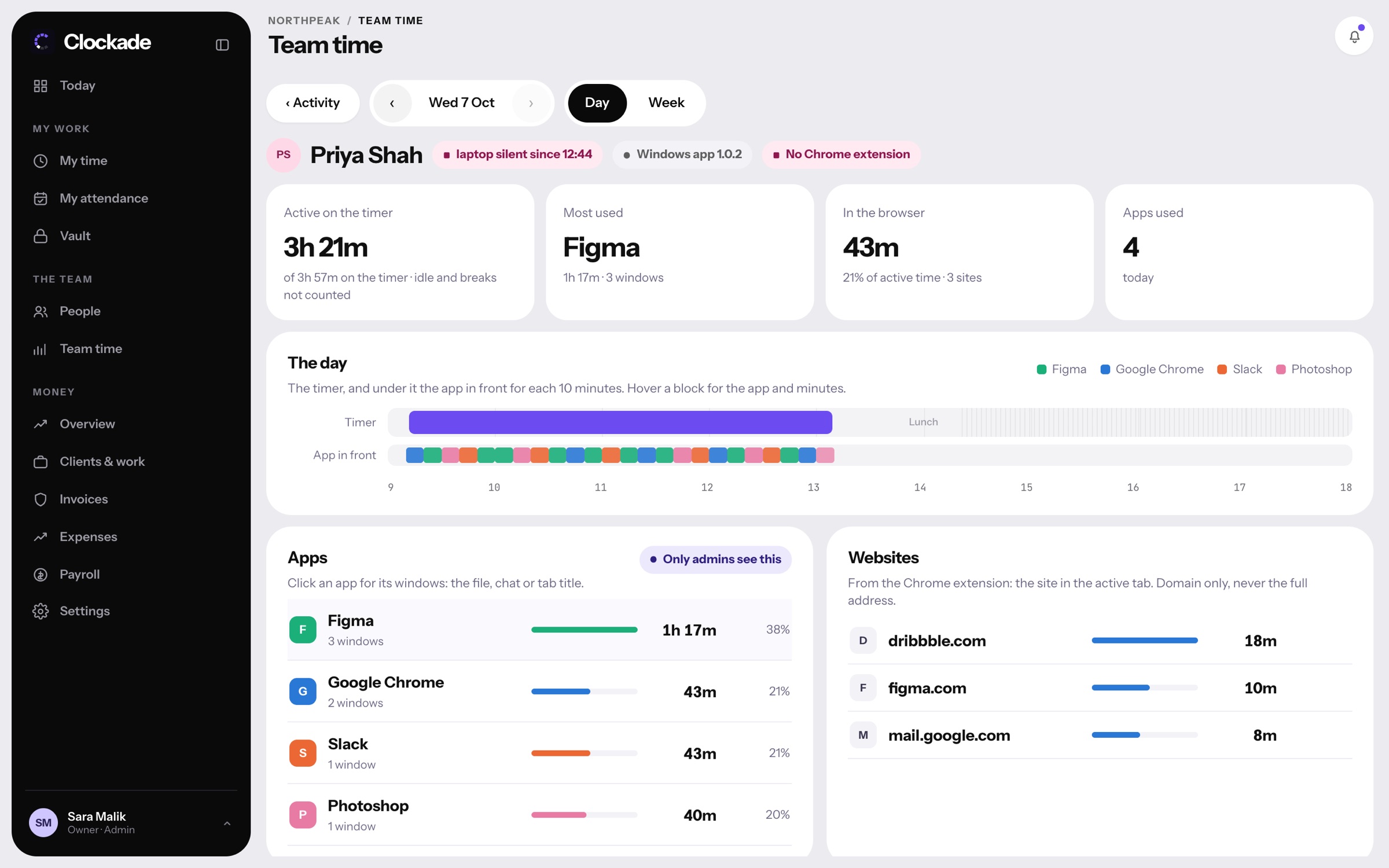
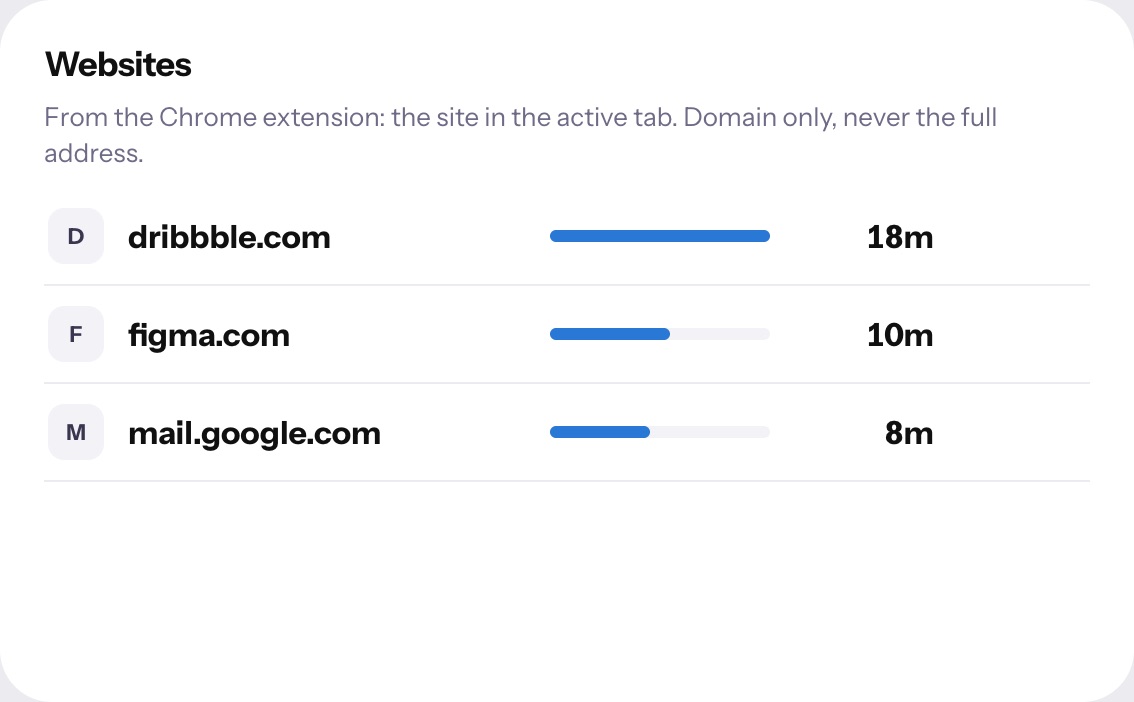
Team time → Activity shows the app in front for every ten minutes of the timer, with window titles, and the websites from the Chrome extension.
- The team's apps and websites for a day or a week
- One person's day: the timer, and the app in front underneath
- Websites are domains only, never full addresses
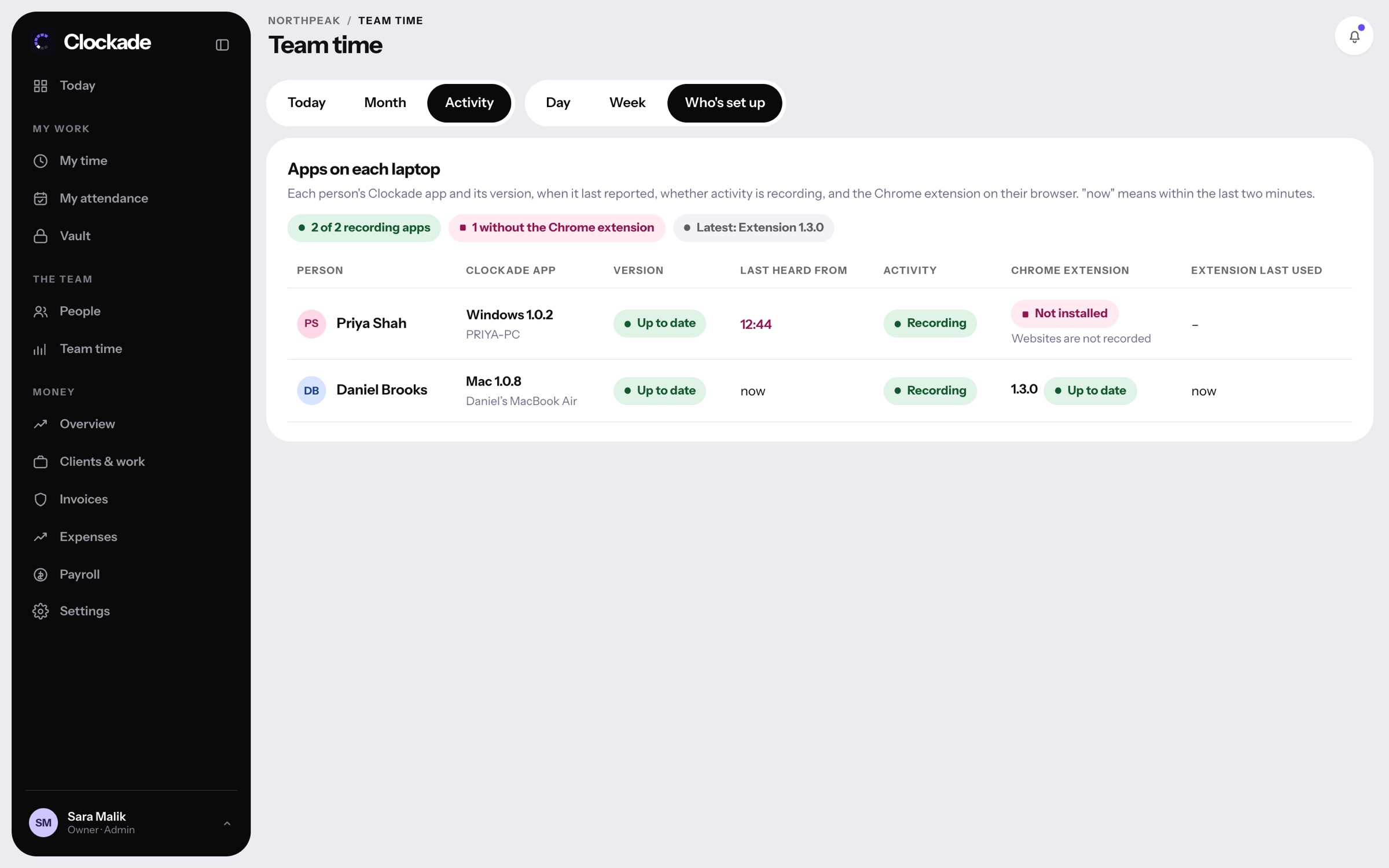
- Who's set up: each laptop's app version and extension
Your rules for a full day.
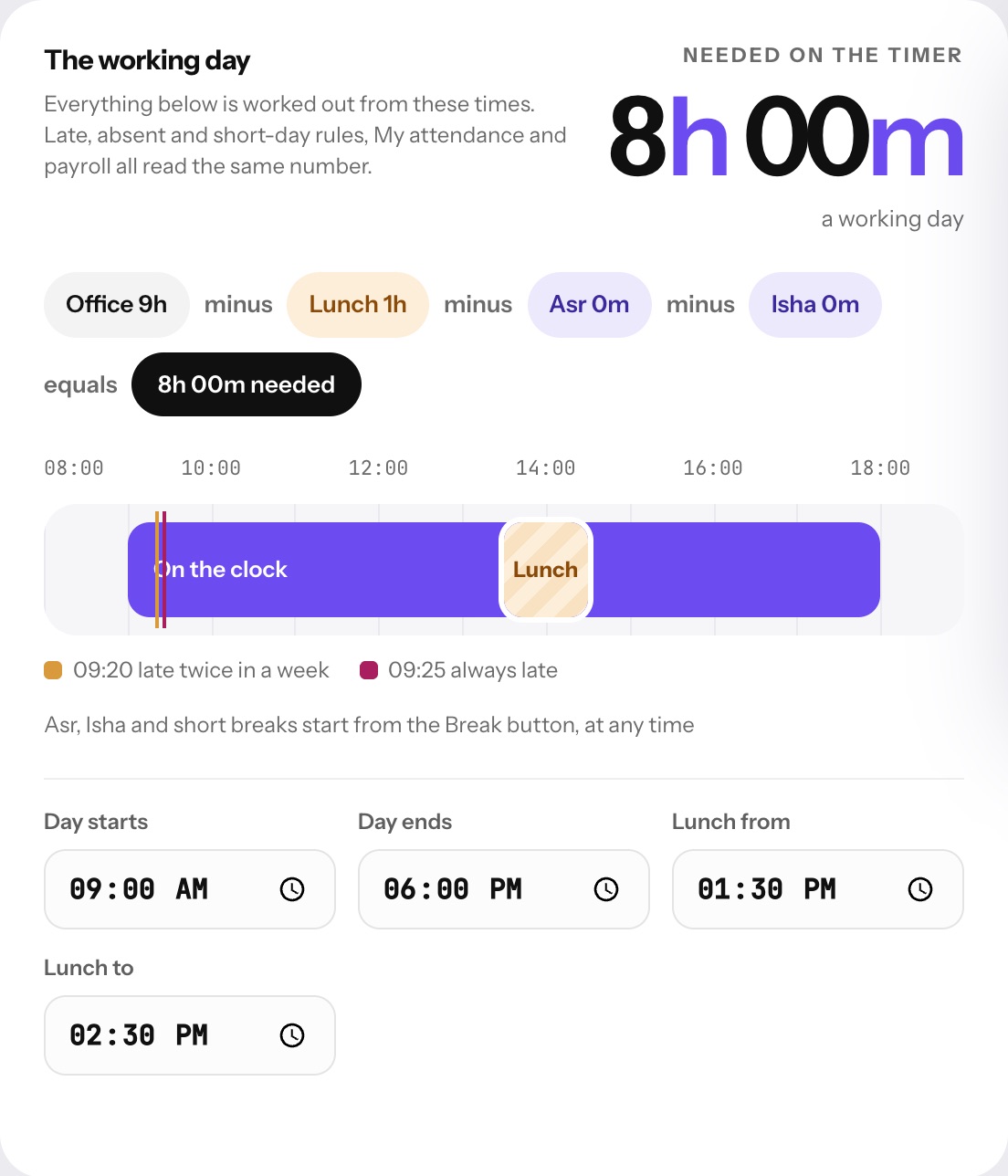
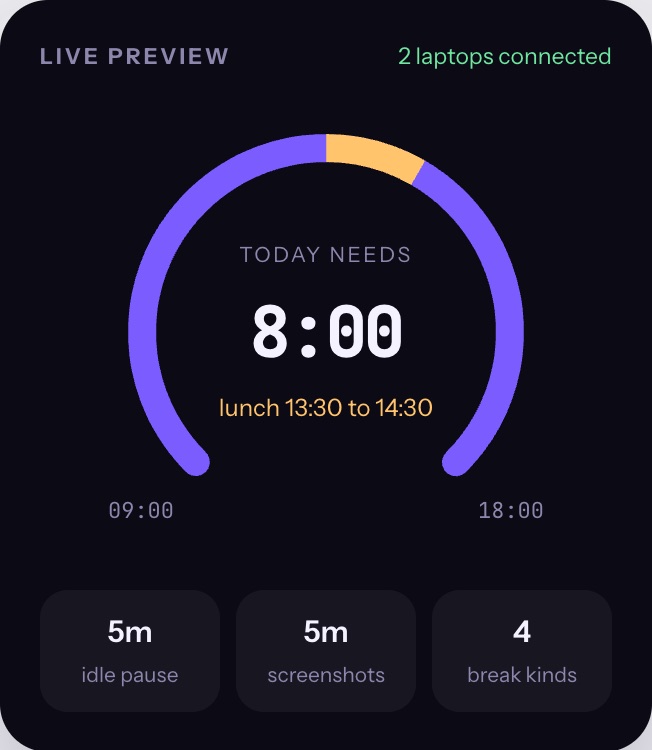
Set office hours, lunch, other breaks and how much time counts as a full day. The live preview shows exactly what each laptop will do.
- Office hours, lunch and named breaks
- Late arrival and grace period rules
- Idle pause after a set number of minutes
- Changes reach every laptop within a minute
A register that keeps itself.
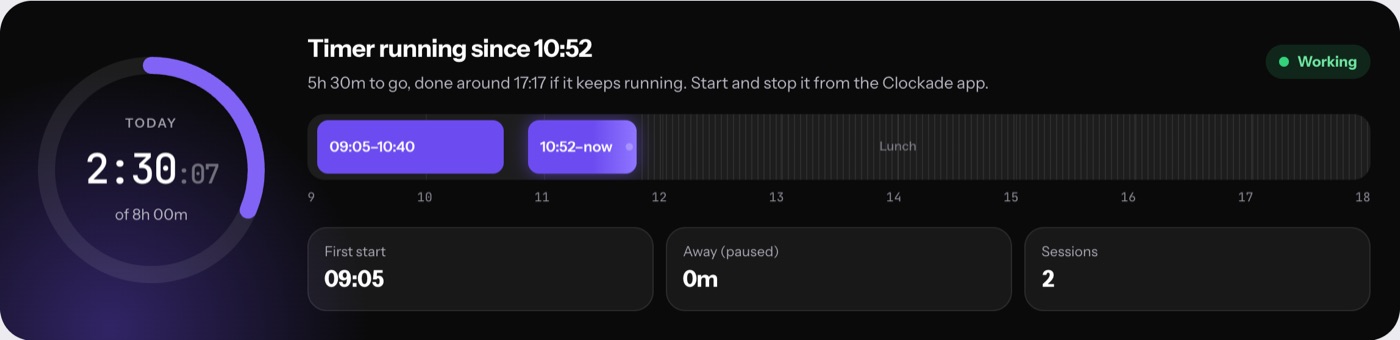
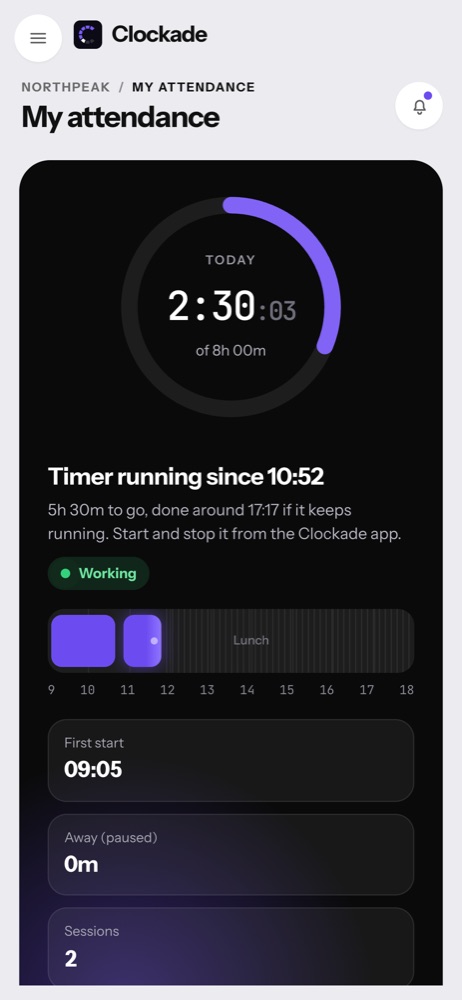
Every day is marked on time, late, short, absent or on leave, with the reason written next to it. Staff see their own; admins see everyone.
- Late arrivals and short days flagged
- Leave allowance used and left, per month
- Each session with how it ended: stopped, paused or lunch
- Ready for payroll at month end
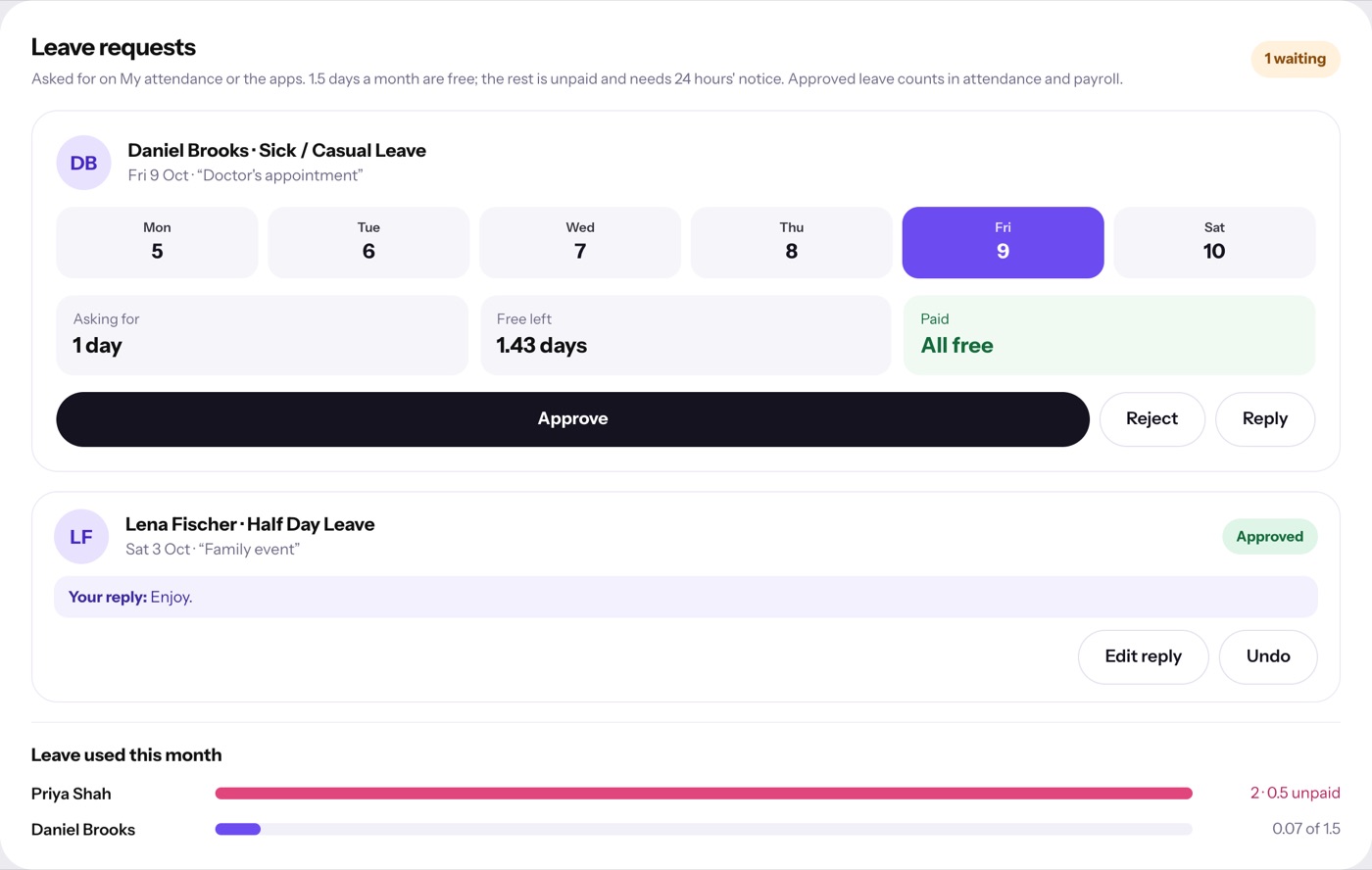
Ask, approve, done.
Staff book leave of any length on the web, Mac or Windows. Free days come first; anything beyond is unpaid and needs 24 hours' notice. Admins approve in one tap.
- Short leave in hours; 8 hours counts as a day
- Free and unpaid days shown before the request is sent
- Reply to a request with a note
- Withdraw a request that is still waiting

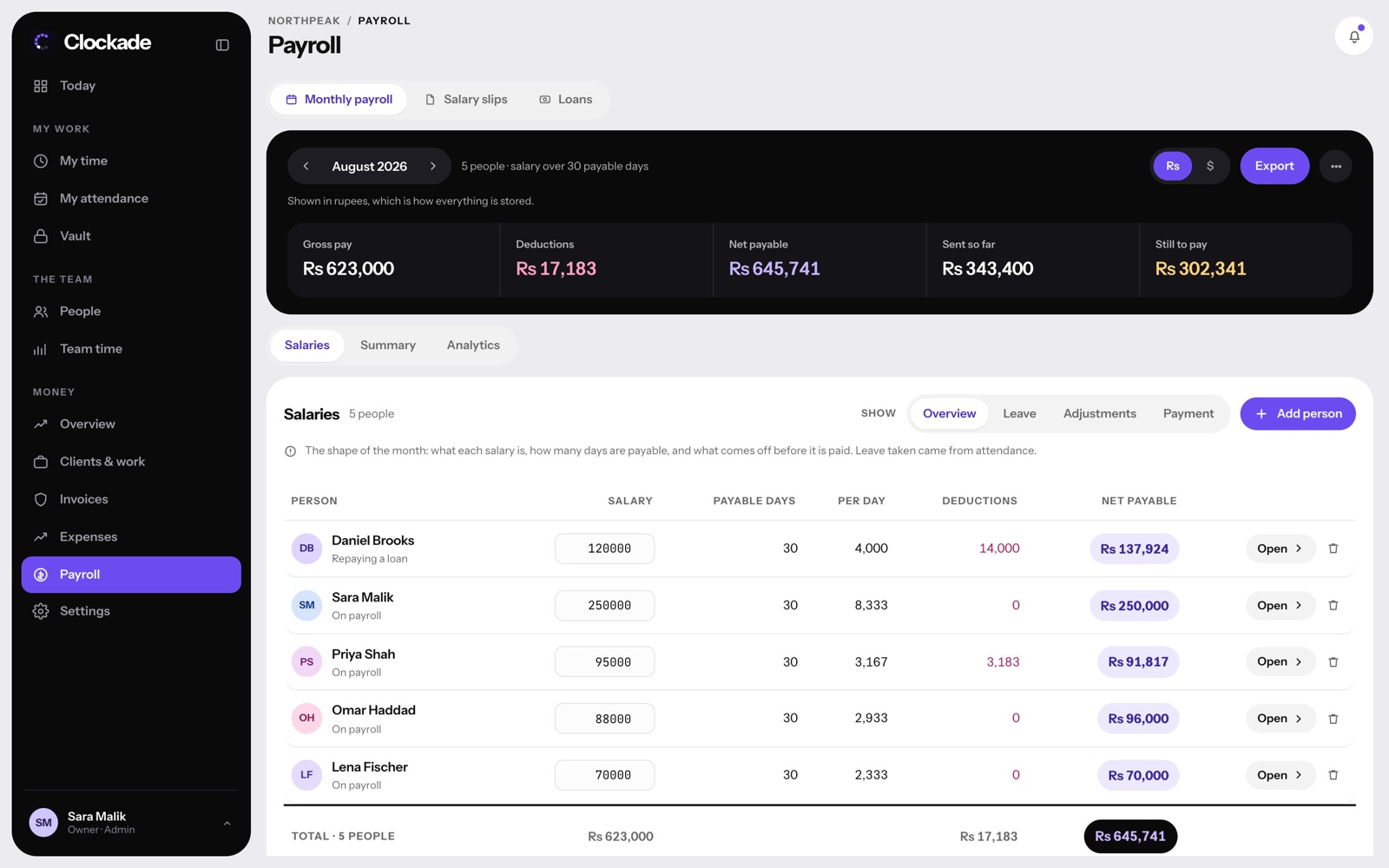
Salaries from the month you actually had.
Payable days, late deductions, unpaid leave, bonuses, advances and loan instalments come together in one run.
- Gross, deductions, net and still to pay at a glance
- Loans with automatic monthly instalments
- Salary slips for every person
- View in rupees or dollars

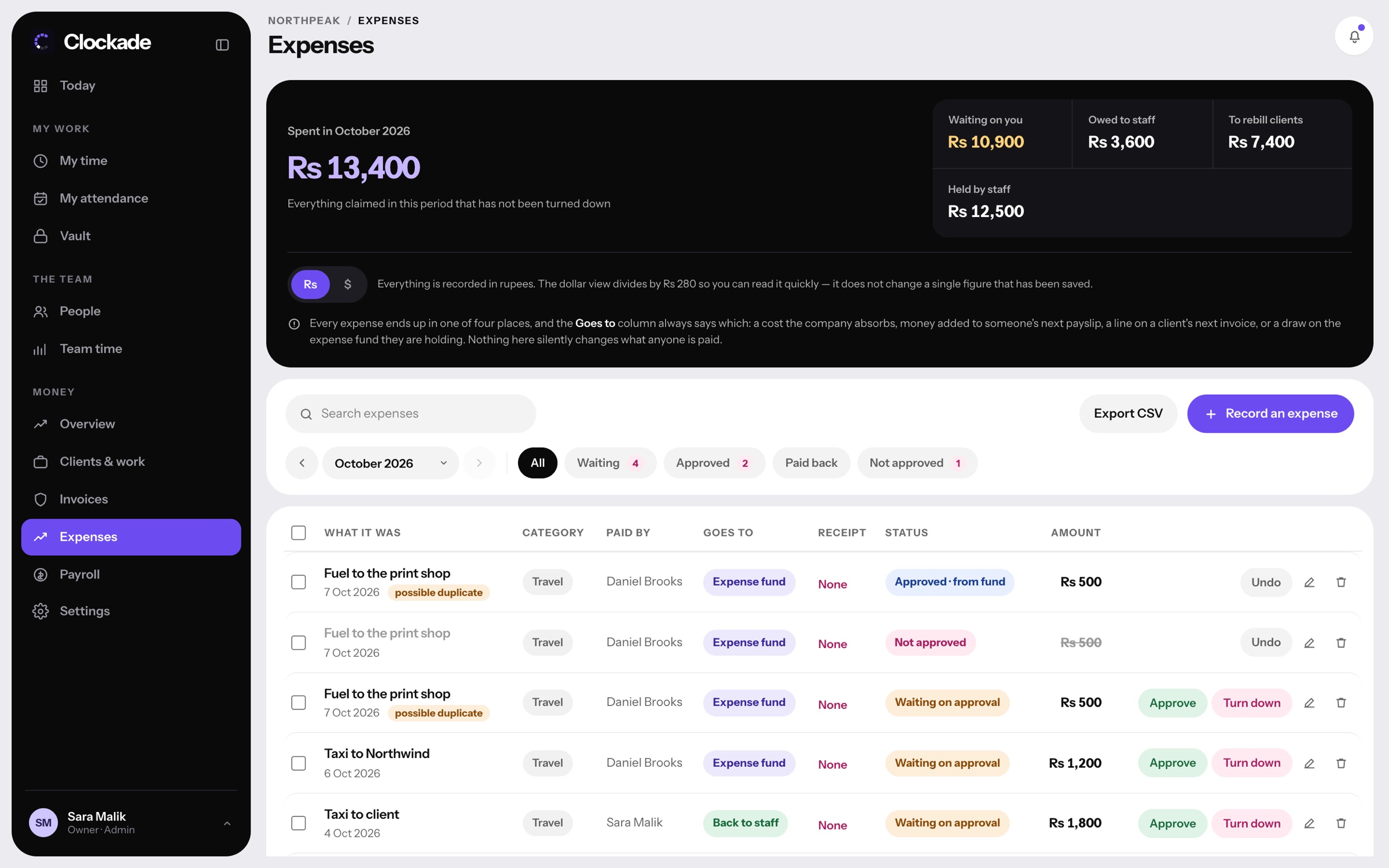
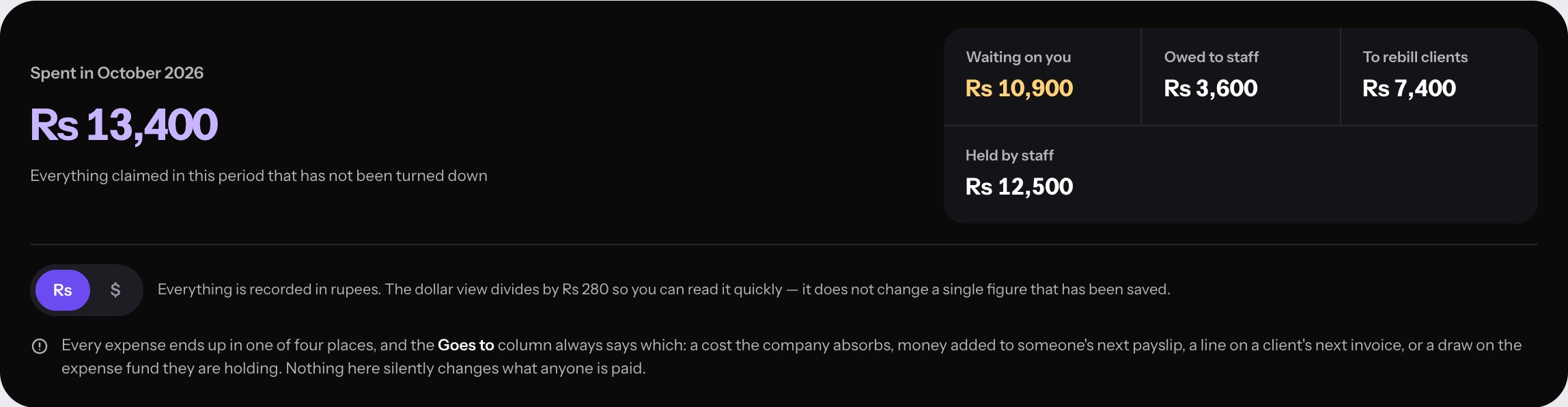
Every rupee has a destination.
Each expense goes somewhere clear: the company, a client rebill, the next payslip, or the cash fund someone is holding.
- Approve or turn down claims
- Duplicate claims flagged
- Cash funds handed to staff, with a running balance
- Export to CSV
Bill the hours you tracked.
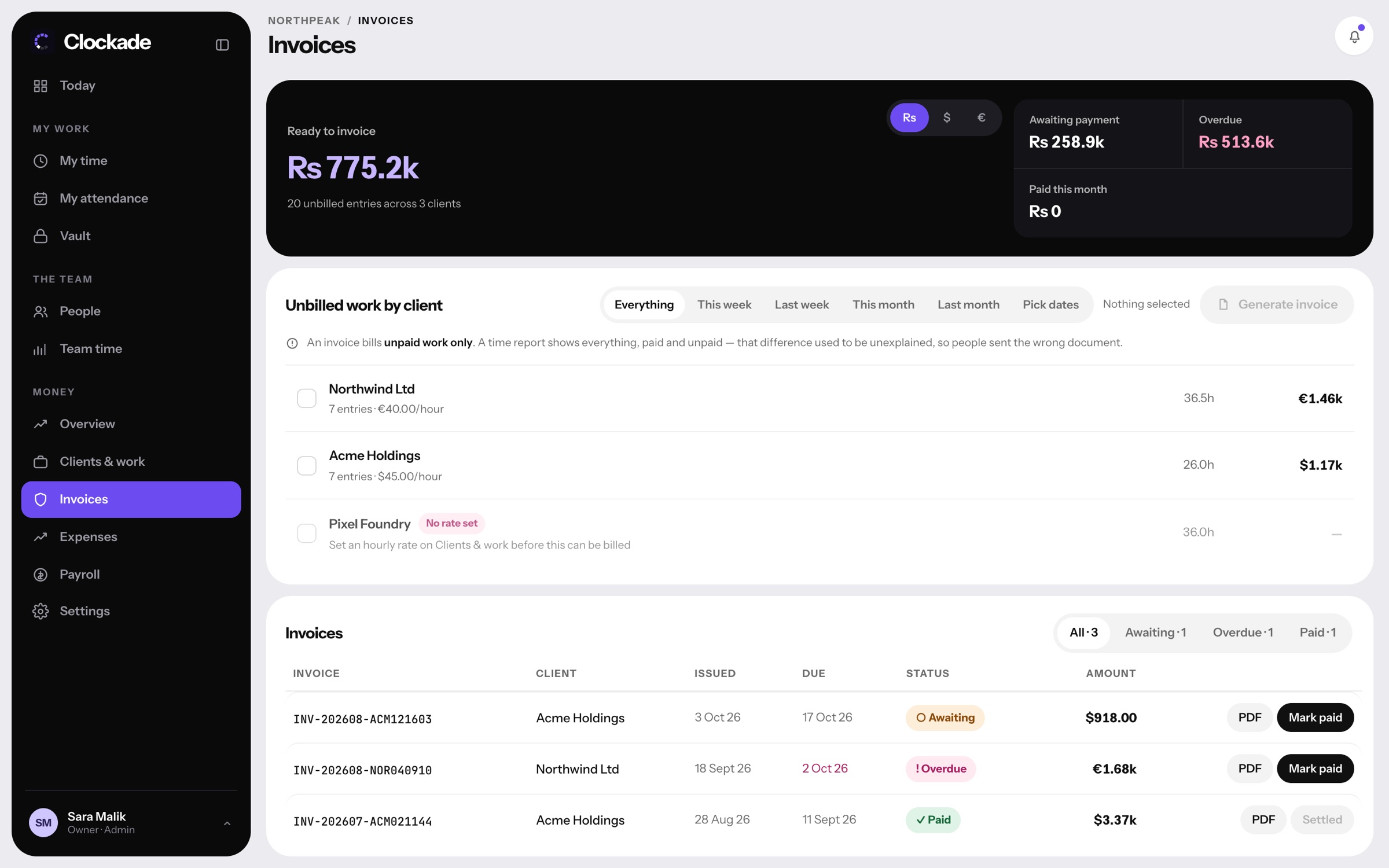
Clients and projects carry their own rate and currency. Unbilled hours turn into invoices, and you see what is awaiting payment or overdue.
- Rates in USD, EUR or PKR per client
- Unbilled work grouped by client
- Invoice PDFs, mark paid, overdue alerts
- Projects created by staff wait for your review

The office, in one place.
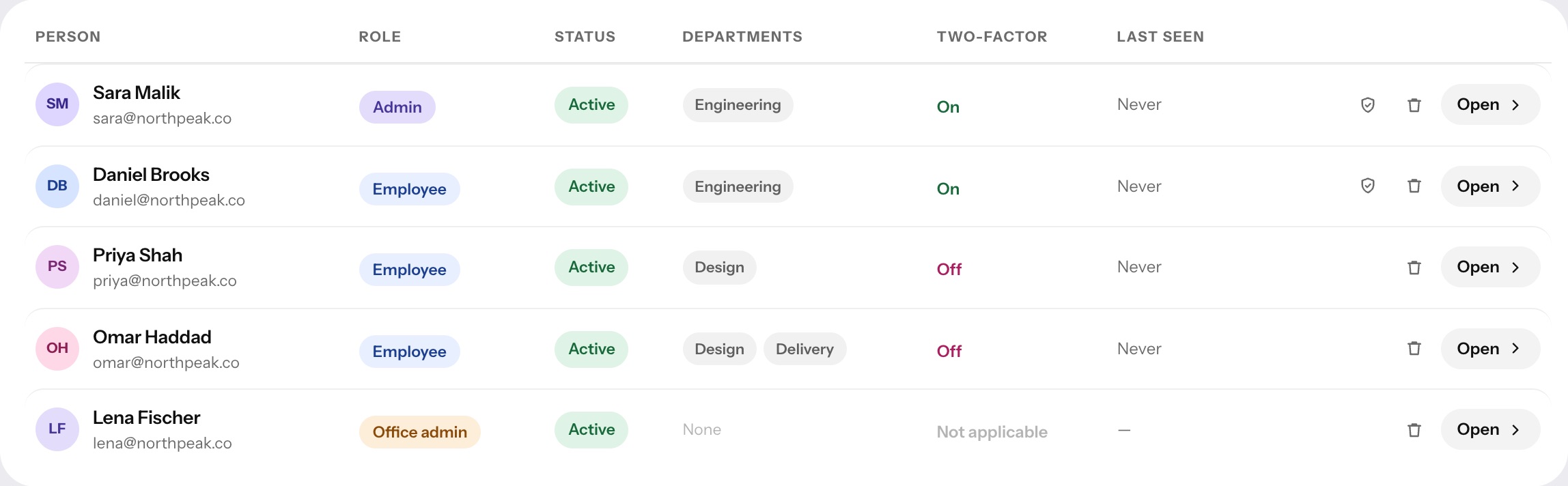
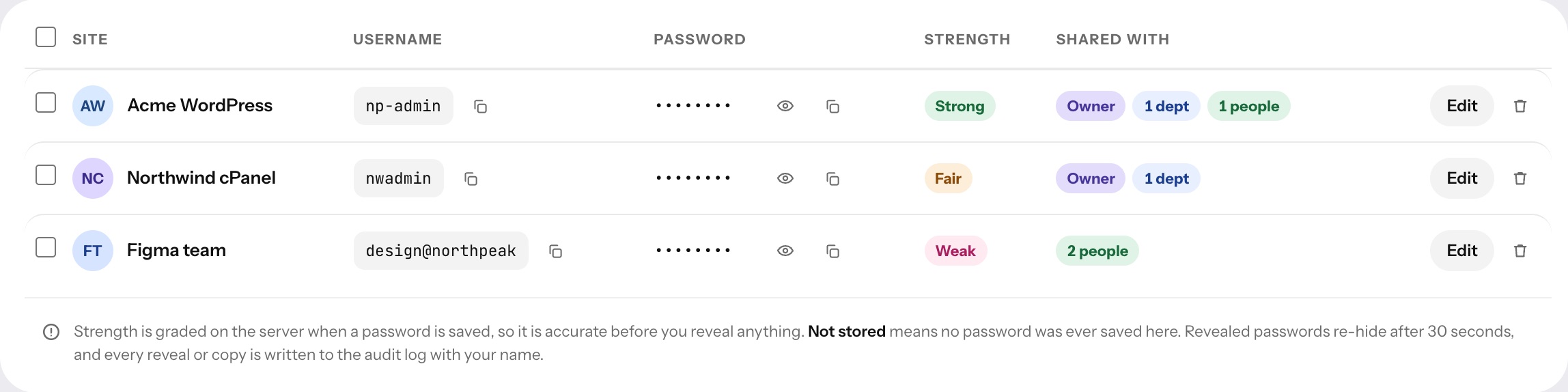
People with their roles, departments and two-step sign-in status. Company laptops and phones by who holds them. Shared logins in a vault.
- Admins, employees and payroll-only staff
- Equipment register with worth and condition
- Shared passwords hidden until revealed, and every reveal logged
- Two-step sign-in status for everyone
Updates arrive inside the app.
Clockade for Mac and Windows update themselves with one button. Admins can make a version required, so nobody starts the timer on an old one.
- Mac menu bar and Windows tray, with the day dial
- Update now, with the timer kept running
- Required version: older apps ask for the update first
- Who's set up shows every laptop's version
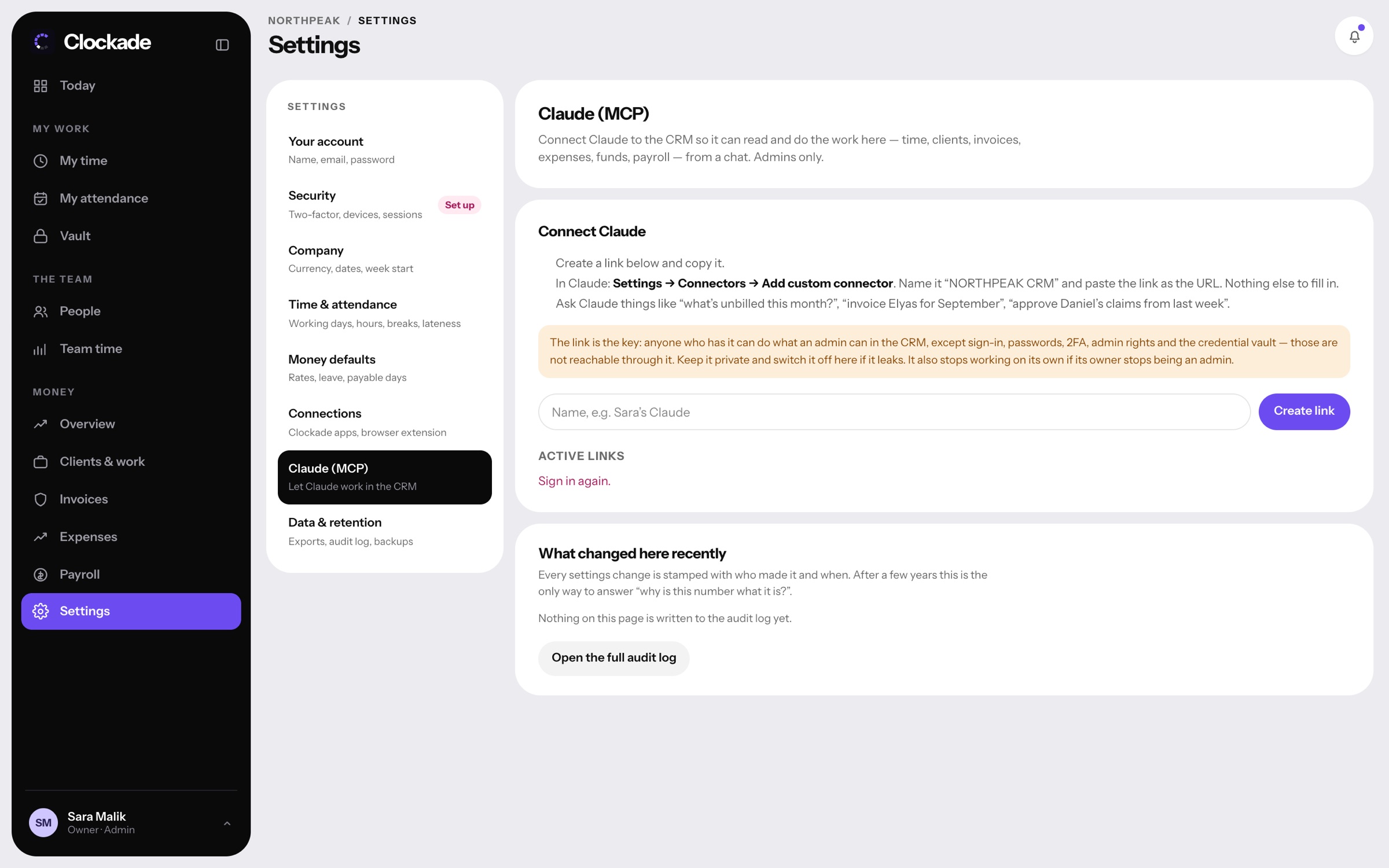
Ask your CRM in plain words.
Connect Claude and ask things like "what's unbilled this month?" or "approve Daniel's claims from last week". Admins only, and passwords and the vault stay out of reach.
- Works from a Claude chat
- Reads and does the work on time, clients, invoices, expenses and payroll
- Sign-in, passwords and the vault are never reachable
- Switch a link off any time